

What Are the Immediate Advantages of a Lightweight Mobile PC and Tablet Cart?
Table of Contents
- What Are the Immediate Advantages of a Lightweight Tablet Cart?
- Tablet Cart vs Laptop Cart vs Full Workstation Cart: How to Choose
- Where Is a Lightweight Mobile Tablet Cart Most Useful?
- What to Look for When Choosing a Mobile Tablet Cart
- AFC Industries Tablet Cart Configurations
| QUICK ANSWER —A lightweight mobile tablet cart delivers four immediate workflow advantages: (1) one-handed maneuverability in tight clinical spaces like patient rooms, corridors, and community nursing environments; (2) bedside tablet access for real-time EHR documentation, barcode medication verification, and patient data without returning to a fixed workstation; (3) significantly reduced footprint versus laptop or full workstation carts — typically 6–12kg versus 12–40kg; (4) battery-powered untethered mobility for medication rounds and multi-room clinical workflows without power cable dependency. AFC Industries’ tablet carts, Telehealth Pole Cart, and Point Of Care PC Cart are available in configurations matched to clinical and office environments. |
The word ‘lightweight’ in mobile cart specification is not a cosmetic preference. It is the operational variable that determines whether a clinician can move the cart with one hand while carrying medication in the other, whether a community nurse can load and unload it from a vehicle without assistance, and whether a tablet cart can be repositioned quickly in a patient room without disrupting the care interaction.
A lightweight mobile tablet cart typically weighs between 6 and 12 kilograms — roughly a third to a quarter of a full laptop workstation cart, and a tenth of a full mobile workstation with monitor and desktop hardware. That weight difference translates directly and immediately into workflow differences: who can use it solo, where it can go, how quickly it can be repositioned, and how long it takes from ‘parked in the corridor’ to ‘in position beside the patient.’
This article covers the specific immediate advantages of lightweight tablet carts, where they are most useful, how they compare to heavier alternatives, and what to look for when choosing one. The context is primarily clinical — hospital wards, outpatient clinics, community nursing, and telehealth environments — but the advantages translate to any environment where a compact, mobile computing platform improves workflow.
What Are the Immediate Advantages of a Lightweight Mobile Tablet Cart?
Four advantages manifest immediately — on the first day of use, in the first hour of a clinical shift:
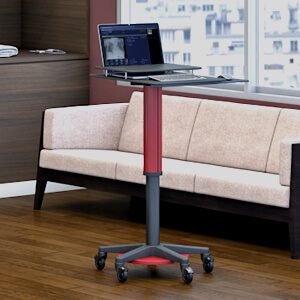
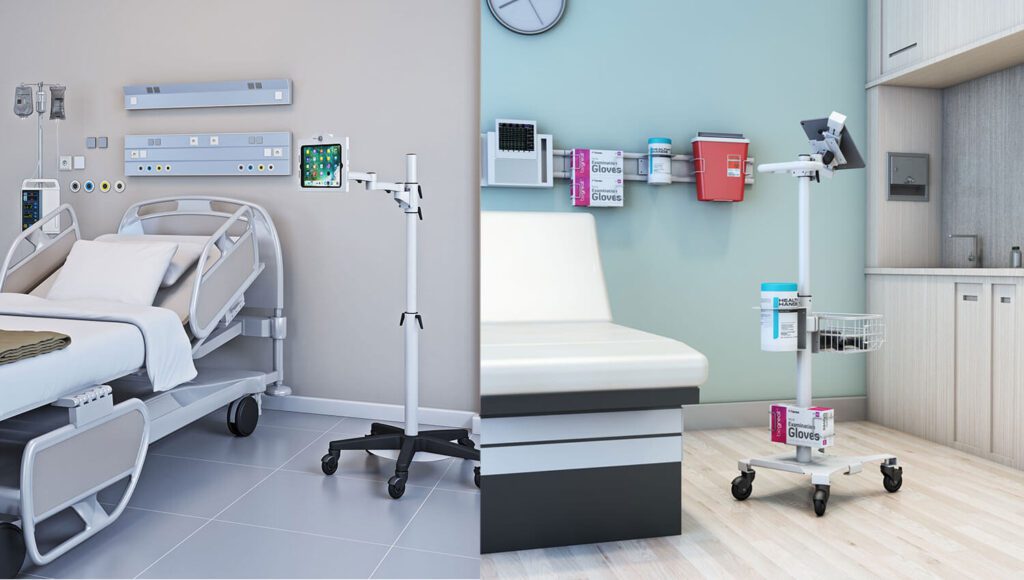
- One-handed maneuverability. A tablet cart in the 6–12kg range can be moved, turned, and positioned with one hand. In a single-bed patient room, a nurse can wheel the cart alongside the bed while carrying medication in the other hand, without needing to set anything down. In a community nursing visit in a private home, the clinician can move the cart through doorways, around furniture, and between rooms without physical effort. This is the advantage that most justifies the ‘lightweight’ specification.
- Real-time bedside documentation. The Agency for Healthcare Research and Quality (AHRQ) identifies real-time bedside documentation as one of the highest-impact interventions for reducing medication administration errors and improving handover accuracy. A tablet cart at the bedside makes contemporaneous documentation possible during the patient interaction rather than retrospective documentation at a corridor workstation. The workflow benefit is immediate — it appears on the first day of deployment, in the first medication round.
- Minimal footprint in constrained spaces. A tablet cart’s narrow base and small profile means it fits beside a hospital bed, in a corner of a consultation room, or in a corridor slot where a larger cart cannot go. It does not require a dedicated parking area or a clear path across a busy ward. This spatial efficiency is invisible on a specification sheet but visible immediately in a clinical environment.
- Battery-powered untethered mobility. A tablet cart with integrated battery power can complete a full medication round — covering 10 to 20 patient rooms — without plugging into a wall outlet. The workflow gain is the elimination of the ‘dead battery detour’ — the interruption of a clinical workflow to find a charging point and wait. For community nursing, where wall outlets in patients’ homes are not reliable infrastructure, battery power is not a convenience feature; it is a deployment requirement.
How Does a Tablet Cart Compare to a Laptop Cart and Full Workstation Cart?
Tablet carts, laptop carts, and full workstation carts serve different needs along the same mobility spectrum. The table below maps seven factors across the three types to help teams choose the right level of capability for their specific workflow.
| Factor | Tablet Cart | Laptop Cart | Full Workstation Cart |
|---|---|---|---|
| Weight | Lightest — typically 6–12kg | Moderate — 12–20kg | Heaviest — 20–40kg |
| Footprint | Smallest — narrow pole or compact base | Medium — standard desk base | Largest — full desk base |
| Payload | Tablet + small peripherals only | Laptop + external display option | Full desktop, dual monitors, accessories |
| Maneuverability | Highest — one hand, tight spaces | Good — standard corridors | Lower — requires clear path |
| Battery option | Common — typically 2–4 hours | Common — 4–8 hours | Available — 8+ hours for full day |
| Best environment | Bedside, community nursing, small rooms, patient education | Training, conference, hot-desk, general clinical | Full-day POC documentation, pharmacy, complex clinical workflows |
| AFC Products | Tablet Carts, Telehealth Pole Cart | Laptop Carts, SmartCart Desk | IntelliCart Desk, Battery Power Carts, Point Of Care PC Cart |
The key decision point is payload vs. maneuverability. If the workflow requires only a tablet for documentation, scanning, and data reference, a tablet cart provides more than enough computing capability at the lightest possible weight. If the workflow requires a full laptop and occasional external display, a laptop cart is the right tier. If the workflow requires sustained multi-application desktop computing, the Point Of Care PC Cart or IntelliCart Desk is the appropriate choice.
For the laptop cart option in more detail, see the AFC Industries guide to why laptop mobile carts are so useful in the office environment.
Where Is a Lightweight Mobile Tablet Cart Most Useful?
The clinical environment is where lightweight tablet carts deliver their most significant workflow gains, because it is where the combination of space constraints, multi-room mobility requirements, and real-time documentation need converge most clearly.
- General ward medication rounds. A nurse moving through 15 to 20 patient rooms in a medication round benefits from a cart light enough to maneuver solo in each room, with a battery that lasts the full round. Barcode scanning via the tablet before each administration provides the closed-loop verification that AHRQ identifies as one of the highest-impact medication safety interventions.
- Outpatient and consultation clinics. A compact tablet cart positioned beside the examination table allows the clinician to access the patient’s EHR record, enter findings, and document the consultation in real time without turning away to a fixed workstation. The space efficiency of a tablet cart matters particularly in small consultation rooms.
- Community and home nursing. Community nurses carrying out home visits need equipment that is light enough for solo vehicle loading and unloading, compact enough to navigate through domestic spaces, and battery-powered for environments without reliable wall power. The tablet cart is the only cart configuration that satisfies all three requirements simultaneously.
- Patient education. A tablet cart at the bedside or in a consultation room provides a screen at the patient’s eye level for displaying procedure explanations, medication information, and post-discharge instructions. The cart’s adjustable height positions the screen for the patient’s comfort rather than the clinician’s.
- Telehealth and remote consultation. AFC Industries’ Telehealth Pole Cart is specifically designed for the tablet-based telehealth workflow: camera stable at clinician eye level, battery for session-length use, compact enough for consultation room use. For a patient-facing telehealth encounter, the pole cart format places the camera and display at the correct height for both the clinician’s face and the patient’s view.
- Training and education environments. Outside clinical use, tablet carts are useful in training rooms where the instructor needs a mobile reference display, and in hot-desk office environments where tablet access is the primary computing requirement rather than a full laptop or desktop setup.
What to Look for When Choosing a Mobile Tablet Cart
Five specification decisions determine whether a lightweight tablet cart performs correctly in practice:
| MOBILE TABLET CART SPECIFICATION CHECKLIST
Weight and one-handed maneuverability. Verify the cart’s total weight with tablet and accessories mounted. Test one-handed operation in your specific environment before deployment. For community nursing, the target is below 10kg assembled. For hospital wards, 10–12kg is acceptable if corridor floors are smooth and level. Tablet mounting security and adjustability. The tablet mount must hold the specific tablet model securely (VESA compatibility or proprietary adapter), allow height and tilt adjustment for different users and patient positions, and prevent accidental dislodging during transit. A tablet that can be knocked loose mid-round is a clinical and equipment safety issue. Height adjustment range. The cart platform must cover both seated and standing working heights for the clinical team’s height range. A tablet cart set at a fixed height that is wrong for a community nurse working in a patient’s kitchen creates the postural problem it was supposed to eliminate. Battery capacity and session length. Calculate the session length — medication round, clinic session, or shift duration — and verify the battery capacity covers it with margin. For a 12-room medication round taking 90 minutes, a 2-hour battery is marginal; a 4-hour battery provides the safety margin that accounts for delays and interruptions. Surface material for infection control. For clinical environments, verify surface material compatibility with the specific disinfection agents used in the facility. A cart whose surfaces degrade under the hospital’s disinfection protocol creates a contamination risk and a warranty issue simultaneously. |
AFC Industries Tablet Cart Configurations
AFC Industries’ tablet and lightweight mobile cart range covers clinical and office configurations:
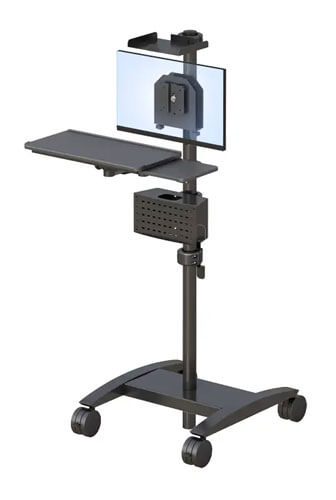
- Tablet Carts — AFC Industries’ dedicated tablet cart range for clinical and office mobile computing, with height adjustment, tablet mounting, and cable management.
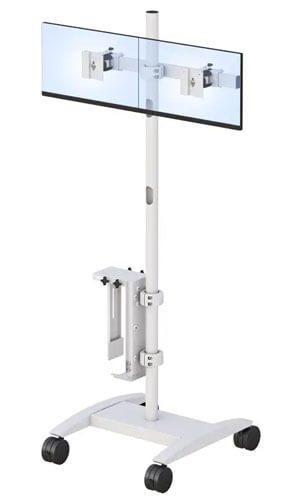
- Telehealth Pole Cart — Designed for tablet-based telehealth workflows with camera-stable pole mount, battery power, and compact clinical footprint.
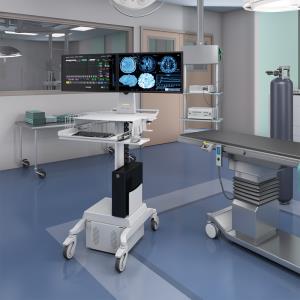
- Point Of Care PC Cart — For workflows requiring more than a tablet: full PC capability at the bedside with the mobility of a cart platform.
- Battery Power Carts — For clinical environments requiring extended battery autonomy across a full shift or multi-room workflow without access to wall power.
Browse all AFC Industries tablet carts, see the full computer carts range, or contact AFC Industries to discuss which tablet cart configuration fits your environment’s weight, battery, and infection control requirements.