


Can One Desk on Wheels Turn a Room Into Three Workspaces?
A room that supports computer work in the morning may be needed for training by noon. Later, the same space might host a project meeting or equipment demonstration.
Moving ordinary office furniture every time the schedule changes can become frustrating. Desks may be too heavy, cables may remain attached, and equipment often has to be removed before anything can move.
That helps explain why multipurpose furniture has become a noticeable workplace design trend in 2026. Companies are looking for ways to change how a room functions without renovating it or purchasing separate furniture for every activity.
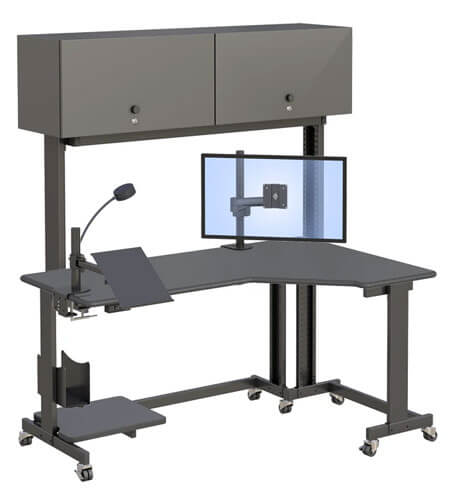
A desk on wheels can help, but wheels alone do not make a workstation practical. The desk must fit through the planned route, carry the necessary equipment, remain stable after it is parked, and provide safe access to power and data connections.
Before choosing one, consider how often it will move, what equipment it will hold, and whether the building can accommodate its complete footprint.
What Makes a Desk on Wheels Useful in a Multipurpose Room?
A useful mobile workstation combines an appropriate footprint, manageable equipment placement, secure caster locks, organized cables, and enough clearance to move through the building. If one of these factors is overlooked, the desk may spend most of its life in one location.
Which Five Features Determine Whether a Rolling Desk Is Truly Mobile?
A desk can have wheels and still be difficult to move. These five factors reveal how practical its mobility will be.
- Footprint: Measure the complete width and depth, not just the work surface. The workstation must pass through doorways, aisles, corners, and elevators.
- Casters: The wheels should roll across the intended floor and lock after the workstation is positioned.
- Equipment stability: Monitors, computers, and accessories need suitable supports. Loose equipment can shift when the desk starts, stops, or changes direction.
- Cable planning: Fixed power and data connections should be disconnected before movement unless the manufacturer provides another approved method.
- Travel route: Check thresholds, ramps, floor transitions, rugs, corners, and nearby furniture before attempting a move.
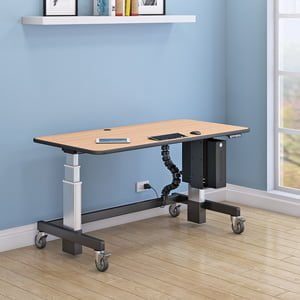
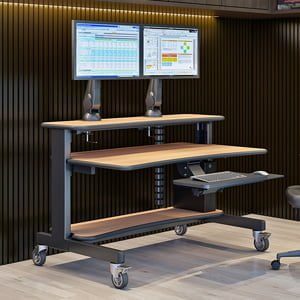
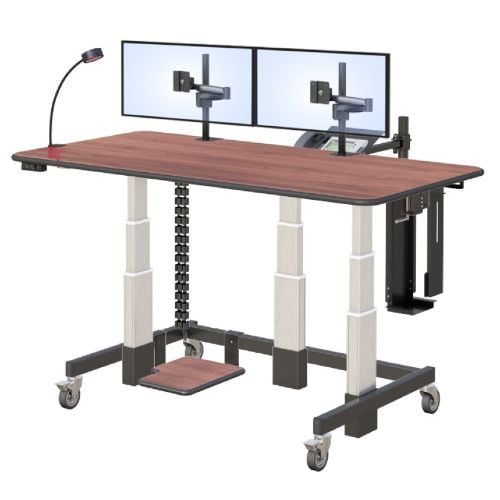
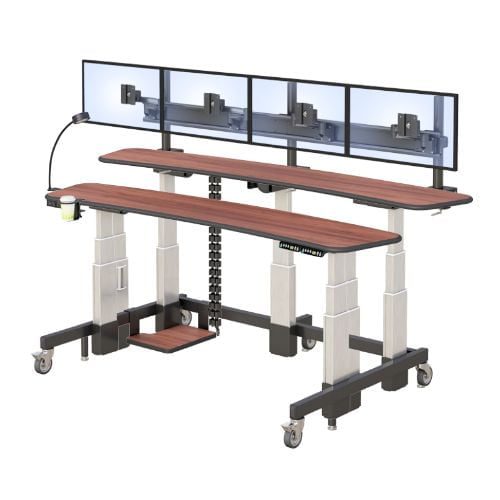
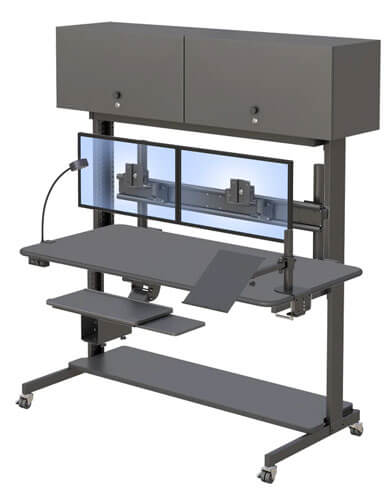
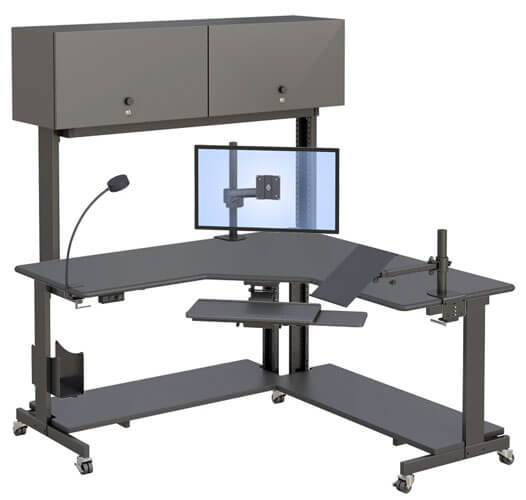
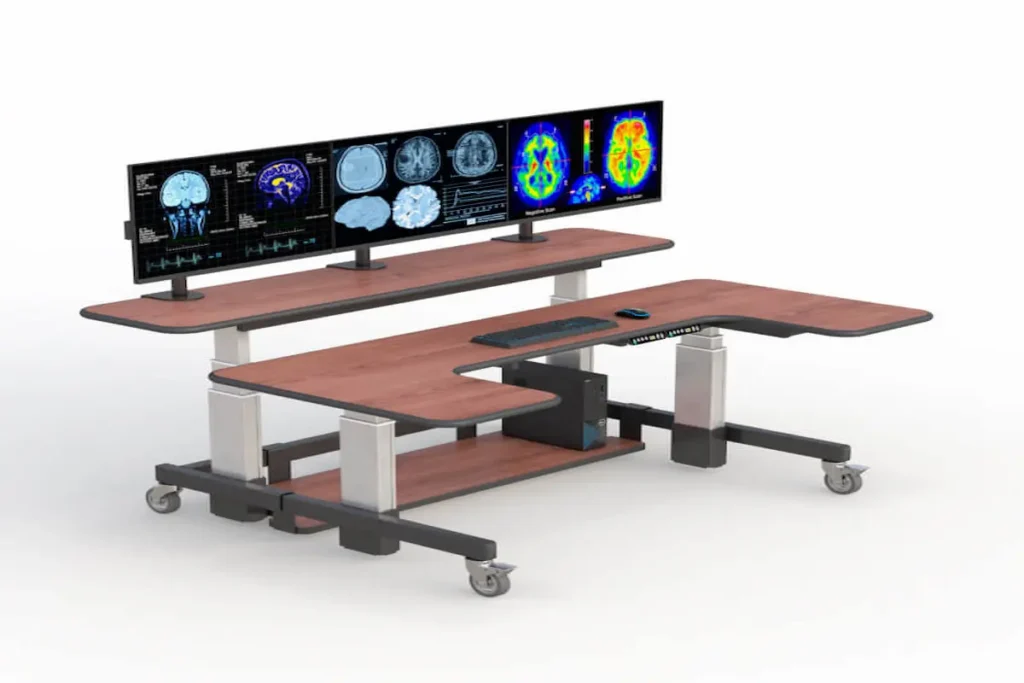
The AFC dual-tier standing desk with wheels is substantially larger than a rolling laptop table. It measures 72 inches wide and 48 inches deep, so it requires more planning than a compact cart.
Its two work surfaces adjust independently from 28 to 47 inches. The front surface is 32 inches deep, while the rear surface is 16 inches deep. This creates distinct equipment zones, but it also means the desk has a considerable footprint when turning or passing through a room.
What Should Be Checked Before the Desk Moves?
A mobile desk should not be pushed across a room without preparation. Even a short move can pull a connected cable, shift an accessory, or place equipment too close to the edge.
Before moving the workstation:
- Lower the work surfaces to a stable position.
- Save open work and shut down equipment when appropriate.
- Disconnect fixed power and data cables.
- Remove papers, drinks, tools, and other loose objects.
- Check that monitors and mounted accessories are secure.
- Confirm that the computer on the lower shelf cannot shift.
- Inspect the route for obstacles and floor changes.
- Unlock the casters only when the desk is ready to move.
- Move slowly and maintain a clear view of the route.
- Lock the front casters after reaching the new position.
The desk has a 16-inch-deep lower shelf intended for a computer tower. Before moving it, verify that the computer is properly supported and that no connected cable can catch on nearby furniture.
These are general planning steps, not a substitute for the product manual. Buyers should contact an AFC technical furniture specialist to confirm the recommended movement procedure for a fully configured desk.
Why Do Locking Casters Matter After the Move?
The ability to stop matters just as much as the ability to roll.
The AFC desk has four 4-inch casters, with locks on the two front wheels. Once the desk reaches its destination, the user should position it on a suitable surface, engage the locks, and check for unwanted movement before reconnecting equipment.
Floor conditions can affect the result. A caster may behave differently on low-pile carpet, tile, concrete, or an uneven transition. Debris can also interfere with rolling and locking mechanisms.
A locking caster helps restrict wheel movement, but it should not be described as making the desk completely immovable. Users should not lean heavily against a mobile workstation or assume that the caster locks prevent tipping.
General guidance about monitor, keyboard, and workstation setup can be found through OSHA’s computer workstation resource. This guidance does not certify any particular desk.
How Can You Tell Whether a Rolling Desk Fits Your Space?
A desk on wheels must fit both its destination and the route used to reach it. Measure doors, aisles, corners, elevators, floor transitions, outlets, and the open area needed to turn the workstation.
What Should You Measure Beyond the Desk Itself?
Begin with the product dimensions, then work outward.
The AFC desk is listed as 72 inches wide and 48 inches deep. Measure the narrowest point along the proposed route and compare it with both dimensions. Remember that door frames, handles, trim, and nearby furniture can reduce usable clearance.
A straight doorway measurement does not tell you whether the desk can turn through it. Corners require additional open space so the workstation can rotate without striking walls or equipment.
Measure:
- Doorway width and height
- Hallway and aisle width
- Corner and turning clearance
- Elevator door and interior dimensions
- Floor thresholds and ramps
- Final working position
- Chair clearance
- Power and data locations
- Storage space when the desk is not in use
Create a simple route map before delivery. A desk may fit comfortably in a training room and a project room while still being unable to travel between them.
The product’s technical drawing should be reviewed before ordering. You can compare your measurements with the specifications on the AFC motorized desk on wheels page.
Do You Need Occasional Mobility or Daily Mobility?
“Mobile” can describe several different routines.
A desk used for occasional repositioning might move during a renovation or department reorganization. In this case, wheels make the change easier, but the desk may stay in its new location for months.
Scheduled mobility means the workstation moves for recurring activities, such as weekly training sessions or monthly equipment demonstrations. The team can prepare the route and connections in advance.
Frequent mobility means the desk travels between work zones several times each day. A large, dual-tier workstation may be less suitable for this pattern than a compact computer cart.
Define the expected movement frequency before choosing a product. If the goal is to move a laptop and a few accessories throughout the day, AFC’s computer cart options may be worth comparing with a full-size desk.
What Should You Confirm Before Requesting a Quote?
Prepare the following information before contacting a manufacturer:
- The activities the room must support
- The number and size of monitors
- Computer and accessory requirements
- Required seated and standing positions
- Door, aisle, corner, and elevator measurements
- Floor types and thresholds
- Power and data connection locations
- Expected movement frequency
- Number of people available for repositioning
- Delivery and installation restrictions
This information helps distinguish between a workstation that needs occasional repositioning and a cart designed for frequent movement.
It also gives AFC a clearer picture of the equipment that will sit on each surface. Do not assume that every monitor mount, power accessory, or configuration shown in product images is included.
How Can One Mobile Desk Support Several Types of Work?
A dual-tier desk on wheels can support different activities when the room, equipment, and connections are planned in advance. Mobility is most useful when each activity has a defined layout rather than requiring an improvised setup every time.
How Could a Room Change From Focus Work to Training?
During the morning, the workstation might function as a dedicated computer desk. The front surface could hold the keyboard, mouse, and documents, while the rear surface supports monitors or additional equipment.
Before a training session, the operator would save work, disconnect fixed cables, remove loose objects, and lower the surfaces. The desk could then be repositioned so participants have a clearer view of the displays.
After it is parked, the front casters should be locked and the workstation checked for movement. Only the equipment needed for the training session should be reconnected.
This process takes planning. A mobile desk does not make room changes instant, especially when several monitors and a desktop computer are attached.
Current multipurpose workspace trends show why businesses are interested in furniture that supports more than one activity. The value comes from planned adaptability, not movement for its own sake.
Where Else Could a Dual-Tier Desk on Wheels Be Useful?
A training room may use the desk for presentations and individual instruction. In that setting, visibility and scheduled movement may be the main priorities.
A technical project area may use the separate surfaces to organize monitors, controls, and documents. The wheels allow the workstation to move when the project changes, but it may remain stationary during normal operation.
An equipment testing space may need to reposition a computer workstation near different devices. Cable routing and safe disconnection become particularly important in this scenario.
A professional multi-monitor workspace may value the independent surface adjustment more than the casters. AFC’s radiology office workstation solutions provide examples of more specialized multi-display environments.
A mobile desk may also support an administrative healthcare area, but it should not be described as clinical, cleanroom-compatible, or medical-grade unless AFC provides the necessary documentation.
The right use case depends on four questions: what sits on the desk, how often it moves, where it travels, and who is responsible for repositioning it.
Frequently Asked Questions
Is a Desk on Wheels Stable?
A desk on wheels can remain stationary when it is positioned on a suitable surface and its locking casters are properly engaged. Stability also depends on equipment placement, floor conditions, caster condition, and correct use.
Can You Move a Standing Desk While Equipment Is Attached?
Mounted equipment may remain attached only when the manufacturer’s instructions allow it and the items are properly secured. Loose objects should be removed, while fixed power and data cables should be disconnected before movement.
What Should I Disconnect Before Moving a Desk?
Disconnect fixed power, network, display, and peripheral cables that could pull tight or catch on nearby objects. Confirm the manufacturer’s procedure before moving a fully configured motorized desk.
Are Locking Casters Necessary?
Locking casters help keep a mobile desk from rolling during use. They should be engaged after the desk reaches its destination, but they do not make the workstation completely immovable or tip-proof.
Is a Desk on Wheels Better Than a Computer Cart?
A desk on wheels provides a larger work surface and may support more equipment. A computer cart is generally more compact and may be easier to move frequently, so the better choice depends on the task and movement pattern.