



How Do You Choose the Right Standing Height Desk?
A desk can look perfectly suitable on a product page and still feel wrong once you begin using it. The surface may sit too high for comfortable typing, the monitors may be difficult to position, or there may not be enough room for the equipment you use every day.
That is why choosing a standing height desk involves more than checking its maximum height. You also need to consider your seated position, standing elbow height, monitor arrangement, available floor space, and normal work routine.
A height-adjustable desk gives you more control over these factors. However, the desk still needs the right dimensions and features for your body and equipment. This guide explains what to measure, which specifications matter, and how to decide whether an adjustable workstation fits your space.
What Should You Look for in a Standing Height Desk?
The most important features are the adjustment range, work-surface dimensions, lifting system, equipment support, and stability. These details determine whether the desk can accommodate you comfortably and hold the equipment required for your work.
How Can You Tell Whether the Height Range Fits You?
There is no single standing desk height that works for everyone. Your height provides a useful starting point, but it does not account for your arm length, footwear, keyboard thickness, or the type of work you perform.
To estimate a suitable standing position, stand naturally with your shoulders relaxed. Bend your elbows so your forearms are approximately parallel to the floor. The keyboard surface should allow your wrists to remain reasonably straight while you type.
The same check should be completed while seated. If you plan to alternate between sitting and standing, the desk must reach both positions without forcing you to raise your shoulders or reach down toward the keyboard.
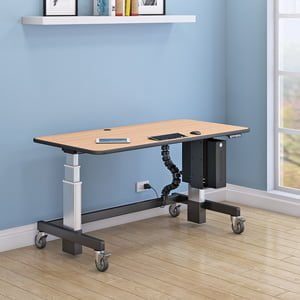
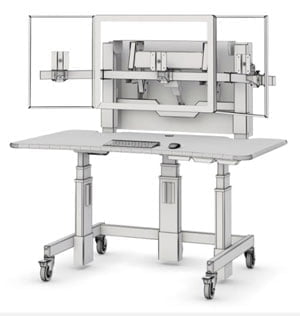
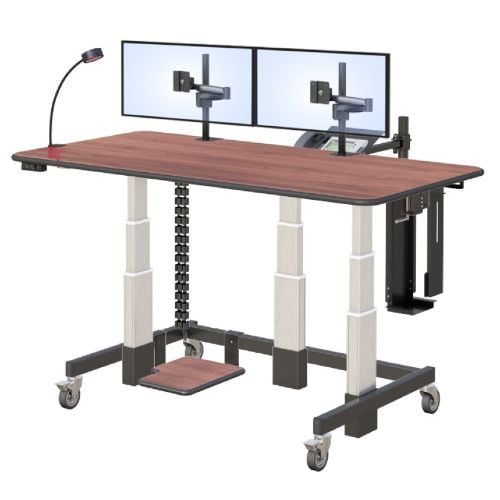
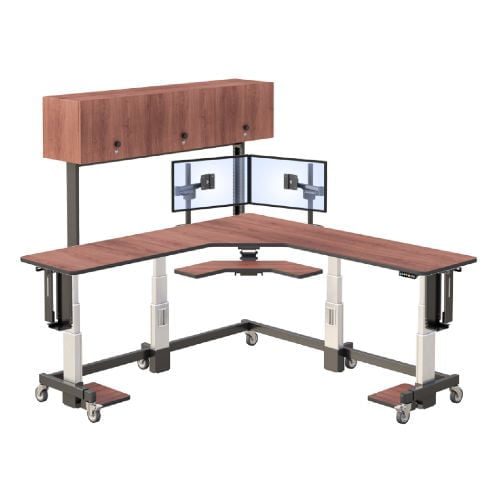
The AFC height adjustable standing desk has an adjustment range of 28 to 47 inches. Before selecting it, compare that range with your measured seated and standing elbow heights. This is especially important if the workstation will be shared by people of different heights.
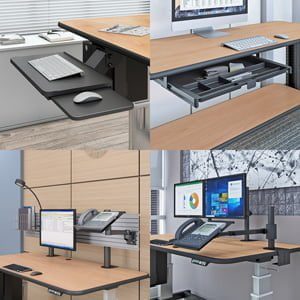
Monitor placement should be assessed separately. Raising the work surface may position the keyboard correctly without placing the screen at a comfortable viewing level. Monitor arms can provide the additional adjustment needed to position the screen independently.
Which Features Matter Most in Daily Use?
Specification lists are easier to evaluate when you connect each feature to something you actually do during the workday. Focus on these practical areas:
- Electric height adjustment: Electric controls make it easier to change positions without clearing the work surface or manually operating a crank.
- Appropriate height range: The lowest and highest settings should accommodate the desk’s intended users in both seated and standing positions.
- Work-surface dimensions: Measure the monitors, keyboard, mouse, documents, and accessories that must remain within reach.
- Monitor support: A multi-monitor workstation may need a track or monitor arms rather than ordinary desktop stands.
- Cable management: Power and data cables need enough slack to move safely as the desk rises and lowers.
- Stable mobility: Casters can help when a workstation must be repositioned, while locking casters help keep it stationary during use.
- Configuration options: Specialized workplaces may require particular dimensions, equipment mounts, shelves, or power access.
For example, a laptop user may need only a modest surface and one external monitor. A radiology professional may need several displays, more depth, and stronger equipment organization. Buyers planning a diagnostic display setup can also review AFC’s radiology office workstations.
Why Might a Dual-Tier Desk Be More Useful Than a Single Surface?
A single-tier desk moves the keyboard, monitors, and accessories together. That arrangement is simple, but it may limit how precisely each part of the workstation can be positioned.
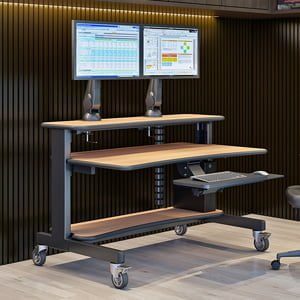
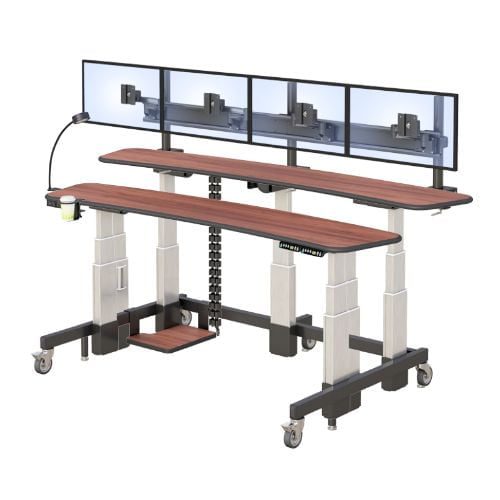
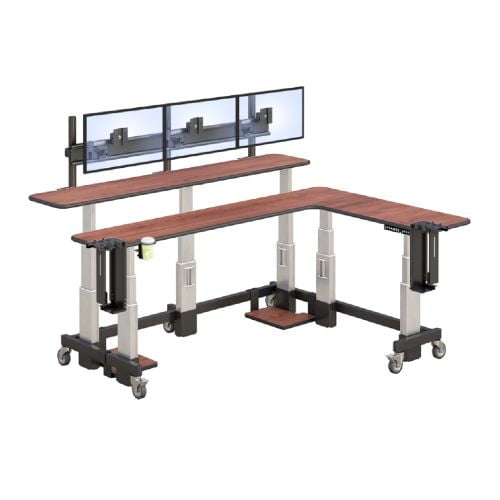
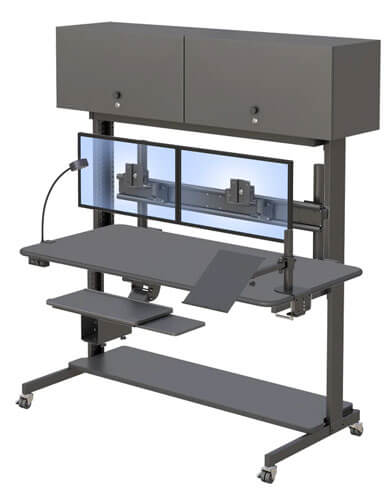
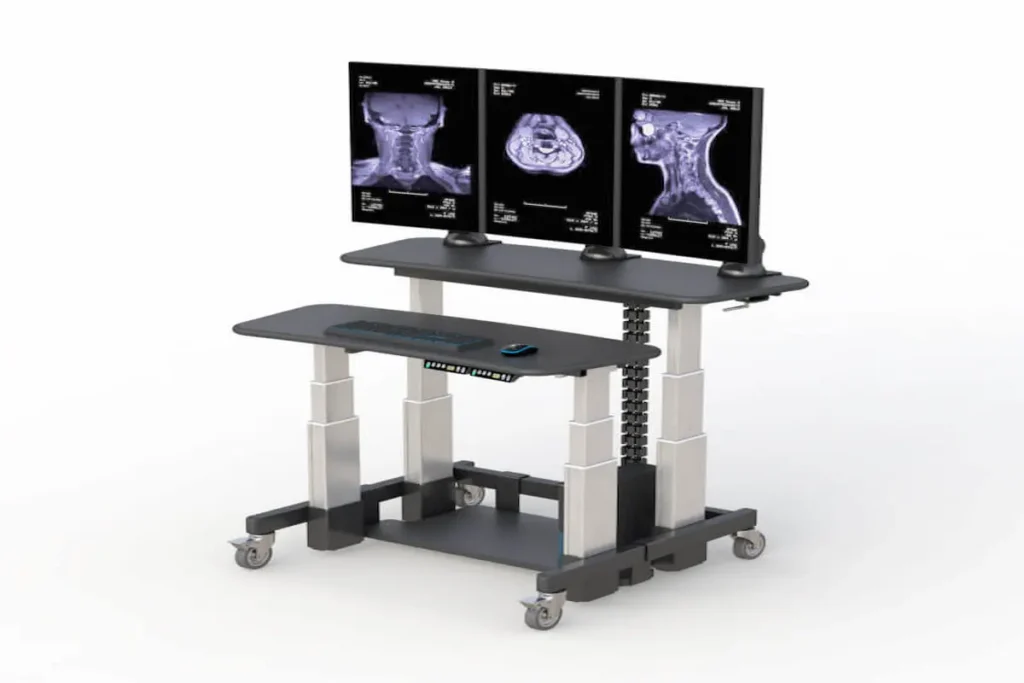
A dual-tier desk separates the primary working area from the monitor or equipment area. The AFC Dual-Tier Standing Workstation has two work surfaces that can be adjusted independently through powered telescopic lifters. This gives the user more flexibility when arranging the keyboard and monitors.
The workstation also includes a 66-inch rear track with three adjustable Z-arm monitor mounts. The arms can move along the track to accommodate different display positions. Additional mounts are available when the planned configuration requires them.
This flexibility can be particularly useful in multi-monitor environments. It may be less important for someone working with a single laptop, so the decision should be based on actual equipment rather than the assumption that more features are always better.
How Do You Decide Which Standing Desk Is Right for You?
Choose a desk by matching its adjustment range, dimensions, equipment support, and mobility to your normal workflow. A desk that fits the room but not the user, or fits the user but not the equipment, will create new problems instead of solving existing ones.
Should You Choose a Fixed Standing Desk or an Adjustable One?
A fixed standing desk works at one predetermined height. It may suit a dedicated task that is always performed by the same person in the same position. It provides fewer adjustment options, but it can be a straightforward choice when the work never shifts between sitting and standing.
A height-adjustable standing desk supports both positions. It is generally more appropriate when someone wants to change posture during the day or when several people use the same workstation. Electric adjustment also makes it easier to return the surface to a preferred setting.
Standing for an entire workday should not be treated as the goal. The practical advantage of a sit-stand workstation is the ability to change positions and adjust the furniture to the task. An adjustable desk cannot replace good equipment placement, comfortable footwear, appropriate seating, or regular movement.
Companies also need to consider who will use the workstation. A fixed desk built for one employee may not suit a rotating team. An adjustable desk offers more flexibility, but only when its full range accommodates the shortest and tallest expected users.
You can learn more about AFC Industries and its approach to configurable technical furniture before comparing workstation options.
What Should You Measure Before Requesting a Quote?
A few measurements can prevent a long series of configuration changes later. Use this process before contacting a manufacturer:
- Measure seated and standing elbow height. Wear the shoes you normally use and keep your shoulders relaxed.
- List the equipment. Record the number and approximate size of monitors, along with the computer, keyboard, pointing devices, speakers, and other accessories.
- Measure the available space. Check the usable width and depth, along with nearby doors, cabinets, and walking paths.
- Plan power and data access. Identify outlet locations and determine how cables will move when the surface changes height.
- Decide whether mobility is needed. Consider whether the workstation will stay in one location or move between work areas.
- Identify special requirements. Note any shelves, CPU holders, monitor arms, lighting, or custom dimensions required for the job.
The AFC workstation is available in several widths and depths. Its listed widths range from 48 to 96 inches, while its available depths include 32, 36, and 40 inches. Discuss the required configuration with an ergonomic furniture specialist rather than assuming every size or accessory is included in a standard model.
How Can a Standing Height Desk Work in Real Workspaces?
A standing height desk can support a simple home office or a complex technical workstation. The best arrangement depends on the number of displays, the type of computer work, the room layout, and whether one person or several people will use it.
What Would a Multi-Monitor Office Setup Look Like?
Picture a workstation with three monitors positioned along the rear track. Each display can slide left or right on its Z-arm, allowing the user to arrange the screens around the main viewing area.
The lower work surface holds the keyboard, mouse, and frequently used documents. The second surface can be adjusted separately to support the preferred monitor arrangement. A lower shelf provides another location for equipment while preserving usable space above.
Power and data cables should follow an organized path that accounts for the full adjustment range. Cables that are pulled tight at the highest setting can damage connectors or interfere with movement. The final configuration should therefore be tested at its lowest and highest positions before regular use begins.
The workstation also has four 4-inch casters, with the two front casters designed to lock. This can be useful when equipment needs to be repositioned, although room clearances and cable connections should be checked before moving a fully configured desk.
More workplace planning and product guidance can be found in the AFC workplace insights.
How Might the Same Desk Serve Different Work Environments?
In a radiology office, the main concern may be arranging several displays while keeping controls and frequently used tools within reach. Independent surfaces and adjustable monitor mounts can help the workstation accommodate that equipment, provided the final configuration meets the organization’s technical requirements.
In a shared office, adjustment range becomes more important. Each user can set the surface according to their seated or standing elbow height instead of adapting to the previous person’s setting.
A home workstation may have fewer monitors, but space can be a greater concern. The buyer should compare the desk’s width, depth, and caster footprint with the room before choosing a configuration. AFC also provides information about radiology workstations for home use for professionals planning more specialized home setups.
No single arrangement is correct for every workplace. Measuring the user, equipment, and room first makes it easier to select a standing height desk that supports the way work is actually performed.
Frequently Asked Questions
What is the correct standing desk height?
The correct height allows you to work with relaxed shoulders, reasonably straight wrists, and forearms approximately parallel to the floor. Because body proportions and equipment vary, the right setting should be based on your measured elbow height rather than a universal number.
How do I know whether a standing desk’s range will fit me?
Measure your elbow height in both seated and standing positions, then compare those measurements with the desk’s minimum and maximum settings. Include the height of your keyboard or other work equipment in the comparison.
Is an adjustable standing desk better than a fixed standing desk?
An adjustable desk offers more flexibility when users alternate between sitting and standing or when several people share a workstation. A fixed desk may still be suitable for one person performing a consistent standing task.
What should I measure before buying a standing desk?
Measure your seated and standing elbow heights, available floor space, required surface width and depth, and the size of your computer equipment. You should also check power access, cable routing, and room clearance.
Is a dual-tier standing desk useful for multiple monitors?
A dual-tier design can help separate keyboard placement from monitor positioning. Independently adjustable surfaces and monitor arms may provide greater control in workstations with several displays.