
Is Your Security Desk Ready for the AI Monitoring Boom?
Security teams have always dealt with a lot of information. What has changed is the speed and volume at which that information arrives.
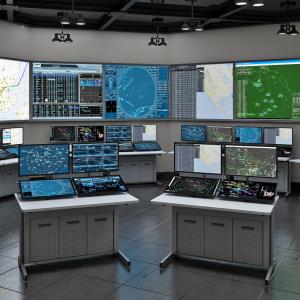
Modern security rooms may bring camera feeds, access-control alerts, visitor records, building systems, and incident communications into one place. AI-assisted video tools can help identify unusual activity, but a person still has to review the information, decide what matters, and coordinate the response.
The Security Industry Association’s 2026 Megatrends points to greater automation, unified security systems, and faster technology refresh cycles. These changes affect more than software. They also affect the physical space where operators work.
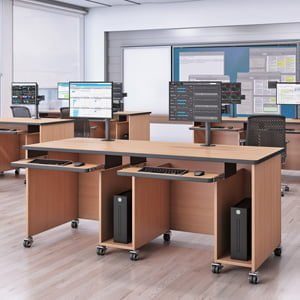
A security desk must provide room for displays, controls, rack equipment, cables, and documentation without leaving the operator surrounded by clutter. If the workstation cannot support the technology or daily workflow, even an advanced security system can become difficult to manage.
What Must a Security Desk Handle in an AI-Heavy Control Room?
A modern security desk should support the operator, monitoring equipment, communication tools, and technical hardware used during a shift. Monitor placement, rack capacity, cable access, ventilation, and storage all need to be considered together.
How Many Screens and Systems Must One Operator Manage?
The first question is not how many monitors can fit on the desk. The better question is how many screens an operator can use effectively.
One display may show live camera feeds, while another holds access-control alerts or incident records. A separate communication platform may be open during an active event. Placing more screens in front of an operator does not automatically improve awareness if important information becomes harder to find.
Before selecting a console, list the systems used during a typical shift. Note which screens remain open, which are checked only after an alert, and which controls need to stay within easy reach. This simple review can reveal whether the workstation needs two monitors, a larger display arrangement, or access to a shared video wall.
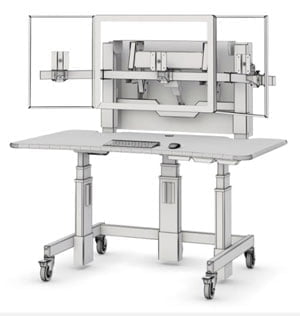
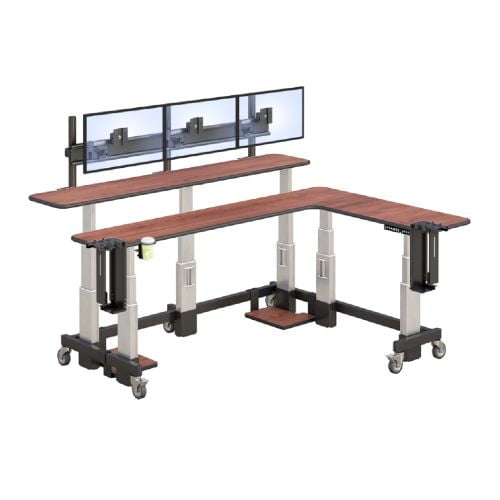
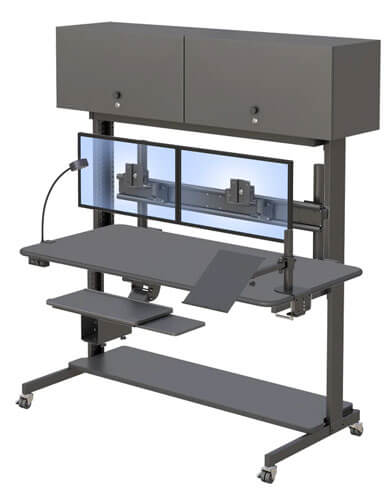
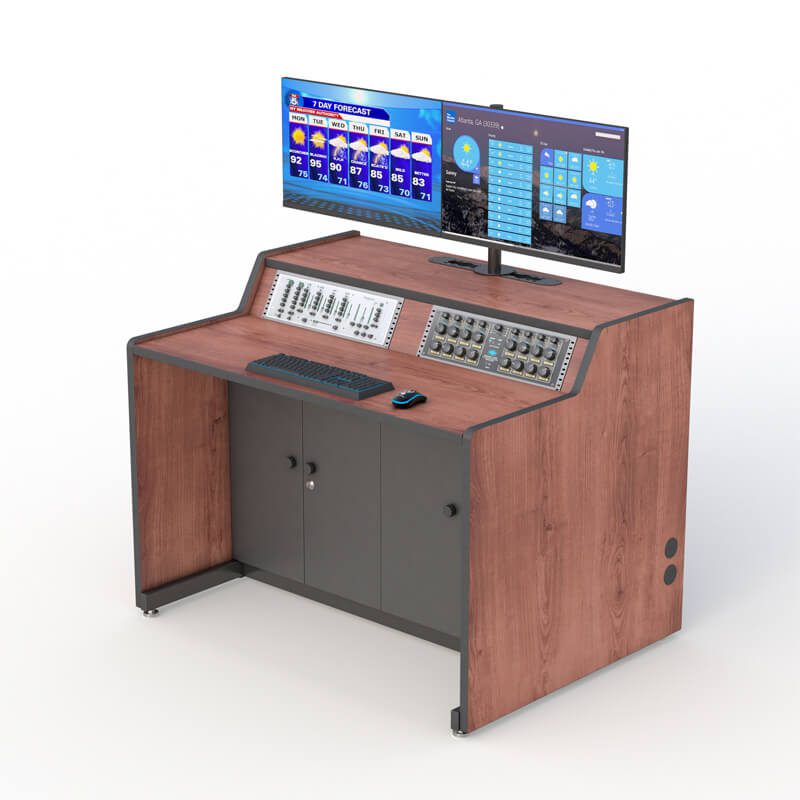
The AFC B-Line security console desk includes a grommet-mounted Z-arm designed for two monitors. The arm allows displays to be positioned above the main work surface instead of relying on ordinary monitor bases that consume desk space.
Monitor count is only one part of the decision. Viewing distance, screen size, lighting, and the operator’s normal seated position also matter. The ISO 11064 workstation standard covers ergonomic principles for control-center workstation layouts and dimensions. Buyers should use it as a planning reference without assuming that a particular product is certified unless the manufacturer provides documentation.
Where Should Rack Equipment, Cables, and Heat Go?
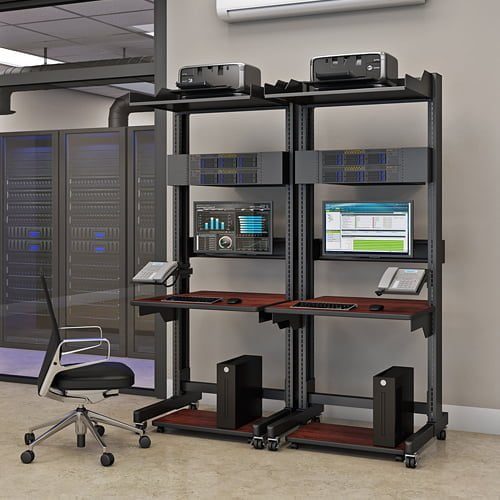
The equipment beneath a security desk can be just as important as the screens above it. Video recorders, network devices, computers, power equipment, and communication hardware need secure locations with suitable access.
The B-Line console provides two 3U rack mounts. The letter “U” refers to a standard unit used to measure rack-mounted equipment. One rack unit is 1.75 inches high, so 3U provides 5.25 inches of vertical mounting space.
That does not mean every 3U device will automatically fit. Equipment depth, connector clearance, airflow, and cable bends still need to be checked. Buyers should review the dimensions and installation instructions for each device before finalizing the console configuration.
The desk also includes two cabinet enclosures with two doors each. Removable rear panels give technicians a way to reach installed equipment and wiring without dismantling the entire workstation. Mesh sections in the panels allow air to move around the enclosed area, but the ventilation requirements of the actual hardware still need to be followed.
Cable planning deserves attention before installation. Camera systems and security platforms may require power, network, display, and peripheral connections. Labeling each cable and keeping service loops organized can make future maintenance less frustrating. The under-desk wiring area should remain accessible instead of becoming a place where unused cables are pushed out of sight.
Organizations managing connected operational systems can also review CISA’s industrial control system resources when planning the broader security environment.
Which Features Help Operators Stay Organized During Long Shifts?
Security operators often share a workstation across different shifts. The desk therefore needs to make sense to more than one person.
A clear keyboard and mouse surface gives each operator a predictable place to work. Monitor arms help keep ordinary monitor bases from taking over that surface. Cabinet storage can separate technical equipment from documents or items that need to stay within reach.
The goal is not to make a workstation look empty. It is to make important tools easy to find when something happens.
A useful test is to observe a shift change. Can the next operator identify the active systems, locate necessary controls, and begin working without reorganizing the station? Are frequently used items accessible, or are they blocked by monitors, cables, or equipment?
Ergonomics also matters, but it should be discussed carefully. Ergonomics means arranging the workstation around the person and the task. It does not mean that the desk can eliminate fatigue, discomfort, or injuries. Room lighting, noise, temperature, seating, schedules, and work practices also affect the operator’s experience.
The ISO 11064 environmental guidance addresses factors such as lighting, sound, air quality, and temperature in control centers. These room-level considerations should be reviewed alongside the furniture.
How Can You Tell Whether a Security Desk Fits Your Operation?
The right security desk must fit the operators, equipment, room, and maintenance plan. A console may have useful features but still be unsuitable if it blocks a walkway, limits equipment access, or does not support the systems used during a shift.
Does the Desk Match the People, Equipment, and Room?
Start by studying the work before choosing the furniture.
Observe how an operator handles a routine alert. Which display gets checked first? Does the operator contact another team? Is the incident recorded in a separate system? Does someone else need to view the same information?
This sequence is the workflow. In plain language, it is the order in which the work gets done. The console should support that sequence without making the operator repeatedly reach across equipment or move between poorly positioned screens.
Next, sketch the room. Mark doors, cabinets, windows, columns, outlets, data connections, and walking paths. Include space for chairs and technician access. A desk that fits according to its width may still cause problems if an open cabinet door blocks an aisle.
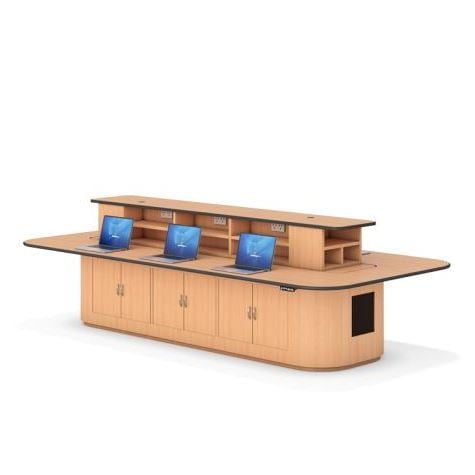
The AFC security and control room collection includes different workstation arrangements for operations that need more than one console. Review the broader room before assuming that several individual desks should be placed next to each other.
What Should You Confirm Before Requesting a Quote?
Gathering the right information early can shorten the configuration process. Use the following steps before contacting a manufacturer.
- Document the operator’s tasks. List the systems and controls used during routine monitoring, alarm review, incident response, and shift handover.
- Count the monitors and devices. Record the number, size, mounting pattern, and connection type of each display. Include computers, recorders, communication devices, and control panels.
- Calculate rack and storage needs. Check the rack-unit height, depth, airflow, and cable requirements of every device intended for the console.
- Map cables and maintenance access. Identify where power and data enter the desk. Leave enough access for a technician to reach connectors and replace equipment.
- Measure the room. Record the available width and depth, then account for doors, walking paths, chairs, cabinets, and nearby workstations.
- Plan for known upgrades. Include equipment already approved for purchase or likely to be added during the next system refresh. Avoid filling every rack space or cable path on the first day if expansion is expected.
Bring this information when you contact an AFC technical furniture specialist. It gives the manufacturer a clearer picture of what the workstation must support and reduces the need to rely on estimates.
How Should a Security Desk Adapt as Technology Changes?
A future-ready desk does not need to predict every device a security team will buy. It needs enough flexibility and access to make reasonable upgrades possible.
How Would the B-Line Console Work in Different Security Settings?
A casino surveillance room may use the console to review camera feeds and document events. Monitor positioning and video equipment access could be the main concerns.
A hotel security desk may combine surveillance, visitor concerns, access alerts, and communication with front-desk staff. The operator may need a clear writing area in addition to monitors and controls.
A shopping center may monitor public spaces, entrances, loading areas, and parking facilities. That environment could require coordination between security personnel, property management, and emergency services.
Traffic control operations may rely on live roadway feeds, incident alerts, and communication tools. Equipment and regulatory requirements may differ significantly from those of a hotel or retail facility.
The same B-Line console features may support each environment, but the equipment list and room layout will not be identical. Buyers should avoid selecting a standard configuration simply because another organization uses the same product.
Organizations responsible for essential services can consult CISA’s critical infrastructure security resources when evaluating their wider operational risks.
How Can You Prepare for the Next Security Technology Refresh?
Technology refresh cycles are getting shorter as security platforms, cameras, processors, and display systems continue to change. A refresh cycle is simply the period between one major equipment installation and the next upgrade or replacement.
Preparing for change starts with documentation. Keep a record of installed devices, rack positions, cable labels, power requirements, and available connections. Update that record whenever equipment is moved or replaced.
Confirm whether future monitors use compatible VESA mounting patterns. VESA refers to the standard spacing of mounting holes on the back of a display. A compatible mount makes it easier to change monitors without replacing the entire support system.
Leave clear paths to removable panels and rack-mounted hardware. Equipment that technically fits but cannot be reached may turn a simple replacement into a much larger project.
The desk should also be reviewed whenever the security workflow changes. Adding AI-assisted alerts, a cloud video platform, or closer coordination with a cybersecurity team may change which information operators need to see first.
CISA’s security convergence guidance explains why physical and cybersecurity teams increasingly need coordinated planning. The physical workstation should reflect that reality when operators are expected to review information from both areas.
Frequently Asked Questions
What Is a Security Desk?
A security desk is a workstation designed to support surveillance monitors, computers, controls, rack equipment, cables, and operator tasks. It is commonly used in security operations centers, command rooms, traffic facilities, hotels, casinos, and large commercial properties.
How Many Monitors Should a Security Console Support?
The appropriate number depends on the systems an operator must view and use during a shift. Buyers should assess screen size, viewing distance, alert priority, and workflow instead of selecting a console based only on the highest possible monitor count.
What Does 3U Rack Space Mean?
The term 3U describes 5.25 inches of vertical equipment space in a standard rack. Device depth, airflow, connectors, and cable clearance must also be checked before installation.
How Do I Plan Cable Management for a Control Room?
List every power, network, display, and peripheral connection before installation. Route and label the cables so technicians can reach them without blocking ventilation, work surfaces, or moving components.
What Should I Measure Before Ordering a Security Console?
Measure the available room width and depth, door and aisle clearances, monitor sizes, equipment dimensions, and required technician access. You should also document rack space, power, data, storage, and expected upgrades.