


Why Must a Pole Stand Computer Workstations Be Anchored, Not Freestanding?
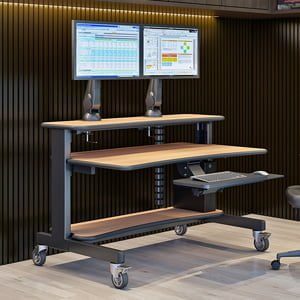
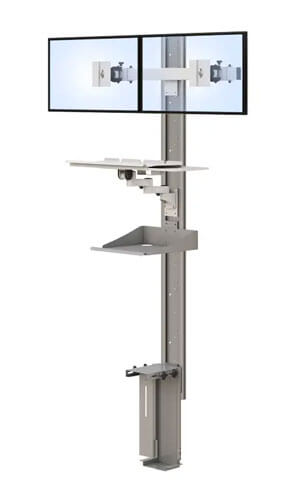
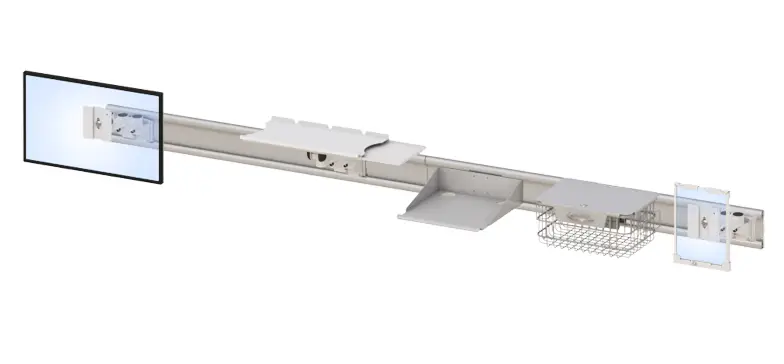
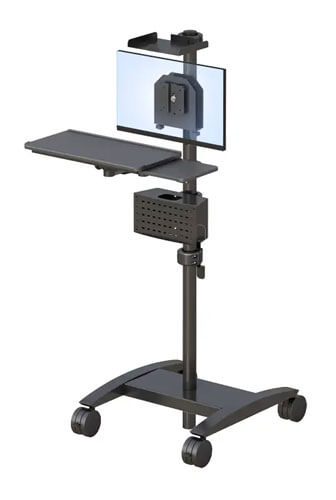
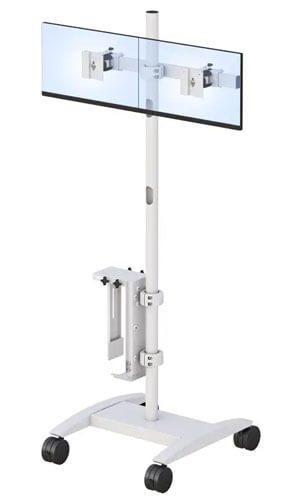
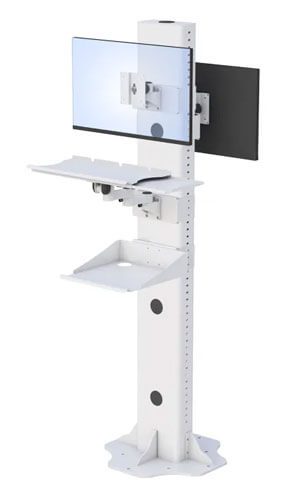
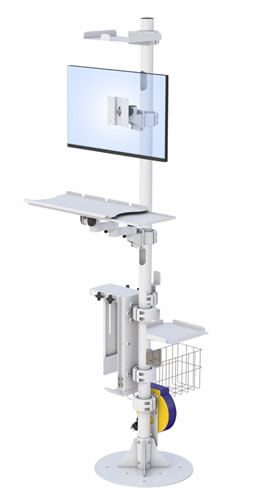
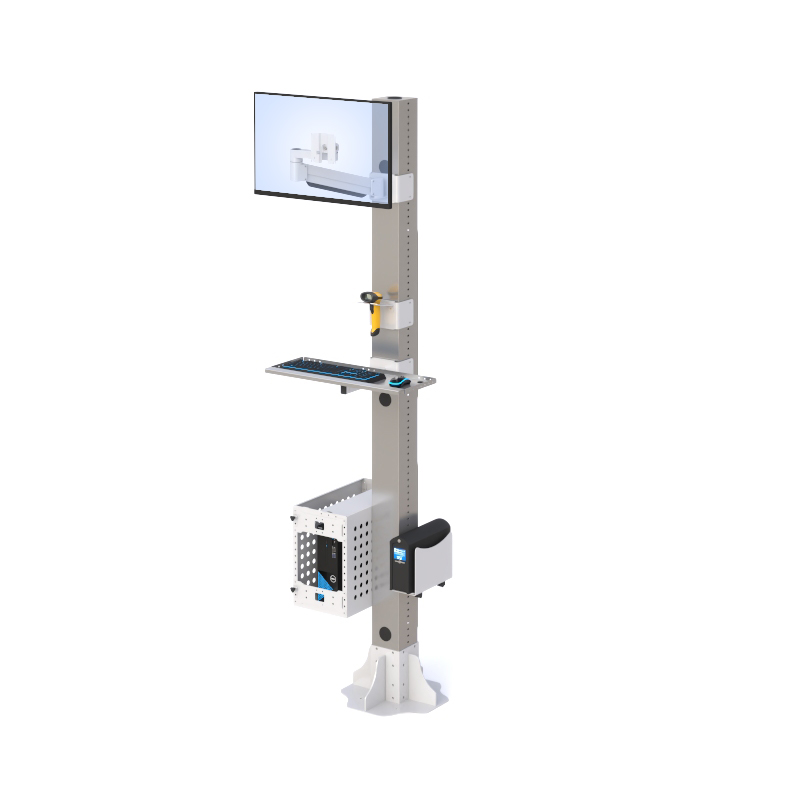
A pole stand computer workstation looks simple enough, a single vertical pole holding a monitor arm, a keyboard tray, and a CPU mount. But that simplicity is exactly why the anchoring requirement matters so much. Unlike a desk that sits low and wide with its weight distributed across four legs, a pole stand concentrates equipment weight along a narrow vertical structure. Push or lean on it the wrong way, and an unanchored pole has real potential to tip.
This isn’t a manufacturer being overly cautious. Furniture and equipment tip-over injuries have been a serious enough public safety concern that federal regulation now specifically addresses furniture stability, and the same physics that make a tall dresser dangerous when unanchored apply just as much to a tall, top-heavy computer stand. A pole stand workstation has to be bolted to the floor, wall, or ceiling because that’s genuinely what keeps it safe under normal daily use, not just during an unusual accident. This guide covers what to actually look for in this type of workstation, how to tell if it fits your space, and what a properly installed setup looks like once it’s in daily use.
What Should You Look for in a Pole Stand Computer Workstation?
A good pole stand computer workstation needs a properly rated monitor arm, a secure keyboard tray, appropriate CPU mounting, and mounting hardware suited to your actual floor, wall, or ceiling structure.
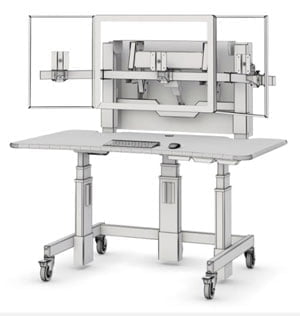
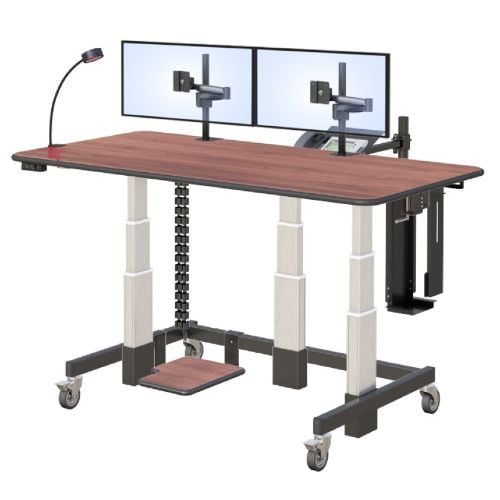
Each of these pieces plays a specific role in whether the workstation actually functions well once installed. The monitor arm needs to support the actual weight and size of your screen, and if it uses a VESA mount, the standard screw pattern on the back of most monitors that lets them attach directly to an arm, confirming compatibility before purchase avoids a frustrating mismatch after installation.
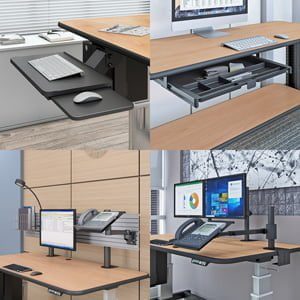
The keyboard tray matters more on a pole stand than a standard desk, since there’s no surrounding desktop to fall back on if the tray itself is poorly positioned or unstable. A retractable design that also handles the mouse keeps the workspace functional without adding bulk to the narrow footprint. CPU mounting needs particular attention on this type of stand, since an improperly secured CPU adds unpredictable weight distribution to an already vertical structure.
And the mounting hardware itself needs to actually match your building’s structure, a stud-mounted wall bracket works differently than a floor-bolted base, and using the wrong hardware for your actual anchor point undermines the entire safety purpose of anchoring in the first place.
A few things worth checking before you buy:
- Monitor arm rating. Confirm it supports your actual monitor size and weight, including VESA compatibility.
- Keyboard tray design. A retractable tray with integrated mouse support works best on this narrow footprint.
- CPU mounting. Make sure the CPU holder is rated for your specific tower size and weight.
- Mounting hardware match. Confirm the hardware matches your actual anchor point, whether that’s a floor, wall stud, or ceiling structure.
There’s useful context in current furniture stability and anchoring safety standards if you want a deeper look at why anchoring requirements exist and how they’ve evolved in recent years.
Is a Pole Stand Workstation Right for Your Space, or Do You Need a Different Mounting Option?
A pole stand workstation works well in labs, shared rooms, and training spaces where floor space is limited and a vertical footprint makes sense, while a standard desk or wall-mounted option may fit better in other layouts.
The deciding factor here often comes down to your actual building structure more than personal preference. A pole stand needs a genuinely solid anchor point, a reinforced floor, a load-bearing wall stud, or a ceiling structure rated to hold the weight. If your space doesn’t have a reliable anchor point in any of those locations, forcing a pole stand into that room creates a real installation problem before the workstation is even in use.
Labs, training rooms, and shared spaces often work well for this configuration precisely because floor space is at a premium and a narrow vertical footprint solves a real spatial constraint. But if your room has ample floor space and a stable structure isn’t readily available for anchoring, a standard desk or a properly wall-mounted alternative may actually be the simpler, safer choice.
A quick way to think it through:
- Does your space have a genuinely solid floor, wall stud, or ceiling structure available for anchoring?
- Is floor space tight enough that a vertical footprint solves a real spatial problem?
- Would a standard desk or wall-mounted option actually be simpler to install safely in this specific room?
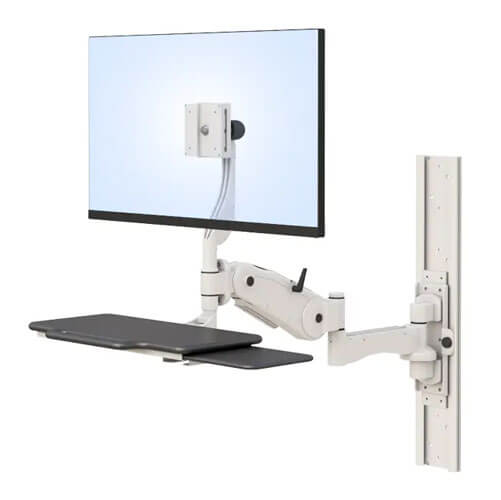
Worth browsing AFC’s wall-mounted workstation options if a pole stand’s anchoring requirements don’t fit your space as well as a wall-mounted alternative would.
What Does a Properly Installed Pole Stand Workstation Look Like in Daily Use?
A properly installed pole stand workstation stays completely stable under normal use, monitor adjustments, keyboard use, and leaning, because it’s securely anchored rather than relying on its own base weight for stability.
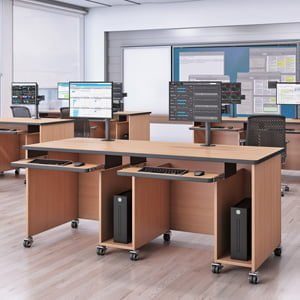
Picture a shared lab workstation used by several different people throughout a workday, each adjusting the monitor angle, pulling out the keyboard tray, and occasionally leaning on the stand while working. On a properly anchored pole stand, none of that regular use creates any wobble or shift, because the anchoring is doing the structural work that the pole and base alone can’t provide.
Compare that to an installation where the anchoring was skipped or done with the wrong hardware, where the same repeated daily use gradually reveals instability that wasn’t obvious on day one. That gap between correct and incorrect installation doesn’t usually show up immediately, which is exactly why confirming the anchor point and using the specified hardware before regular use begins matters so much.
A few practical steps for getting this right:
- Confirm the anchor point, floor, wall, or ceiling, before installation begins.
- Use the manufacturer-specified mounting hardware, not generic substitutes.
- Test stability under normal use before regular daily operation begins.
- Recheck anchoring periodically, especially in high-traffic shared spaces.
- Never treat the unit as freestanding, even temporarily.
Frequently Asked Questions
Can a pole stand computer workstation be freestanding?
No. A pole stand computer workstation must be bolted to the floor, wall, or ceiling as applicable. It is not designed or rated to be used as a freestanding unit under any circumstances.
What surfaces can a pole stand workstation be anchored to?
Depending on the configuration, a pole stand can typically be anchored to a solid floor, a load-bearing wall stud, or a rated ceiling structure. The correct anchor point depends on the specific installation and available building structure.
Is a pole stand workstation safe for shared or high-traffic spaces?
Yes, when properly anchored with the correct mounting hardware for the installation surface. Shared and high-traffic spaces actually benefit from the stability a correctly anchored pole stand provides under repeated daily use.
Does a pole stand workstation support multiple monitor orientations?
Many pole-mounted monitor arm configurations support tilt, swivel, and rotation between portrait and landscape orientation, depending on the specific arm selected. Confirming orientation support before purchase ensures it matches your screen requirements.
Can a pole stand workstation be customized for specific equipment needs?
Yes, many pole stand workstations support configuration options including monitor arm selection, VESA compatibility, bracket layouts, and multi-user setups. This allows the workstation to be matched to specific facility and workflow requirements.
{
“@context”: “https://schema.org”,
“@graph”: [
{
“@type”: “Article”,
“@id”: “https://afcindustries.com/blog/pole-stand-workstation-anchoring-2026/#article”,
“headline”: “Why Must a Pole Stand Computer Workstation Be Anchored, Not Freestanding?”,
“description”: “A practical guide to pole stand computer workstations in 2026, covering why anchoring is required, what to look for before buying, and how to confirm a safe, properly installed setup.”,
“image”: “[LOGO_URL]”,
“author”: {
“@type”: “Organization”,
“name”: “AFC Industries, Inc.”,
“url”: “https://afcindustries.com”
},
“publisher”: {
“@type”: “Organization”,
“name”: “AFC Industries, Inc.”,
“logo”: {
“@type”: “ImageObject”,
“url”: “[LOGO_URL]”
}
},
“datePublished”: “[PUBLISH_DATE]”,
“dateModified”: “[MODIFIED_DATE]”,
“mainEntityOfPage”: {
“@type”: “WebPage”,
“@id”: “https://afcindustries.com/blog/pole-stand-workstation-anchoring-2026/”
}
},
{
“@type”: “FAQPage”,
“@id”: “https://afcindustries.com/blog/pole-stand-workstation-anchoring-2026/#faq”,
“mainEntity”: [
{
“@type”: “Question”,
“name”: “Can a pole stand computer workstation be freestanding?”,
“acceptedAnswer”: {
“@type”: “Answer”,
“text”: “No. A pole stand computer workstation must be bolted to the floor, wall, or ceiling as applicable. It is not designed or rated to be used as a freestanding unit under any circumstances.”
}
},
{
“@type”: “Question”,
“name”: “What surfaces can a pole stand workstation be anchored to?”,
“acceptedAnswer”: {
“@type”: “Answer”,
“text”: “Depending on the configuration, a pole stand can typically be anchored to a solid floor, a load-bearing wall stud, or a rated ceiling structure. The correct anchor point depends on the specific installation and available building structure.”
}
},
{
“@type”: “Question”,
“name”: “Is a pole stand workstation safe for shared or high-traffic spaces?”,
“acceptedAnswer”: {
“@type”: “Answer”,
“text”: “Yes, when properly anchored with the correct mounting hardware for the installation surface. Shared and high-traffic spaces actually benefit from the stability a correctly anchored pole stand provides under repeated daily use.”
}
},
{
“@type”: “Question”,
“name”: “Does a pole stand workstation support multiple monitor orientations?”,
“acceptedAnswer”: {
“@type”: “Answer”,
“text”: “Many pole-mounted monitor arm configurations support tilt, swivel, and rotation between portrait and landscape orientation, depending on the specific arm selected. Confirming orientation support before purchase ensures it matches your screen requirements.”
}
},
{
“@type”: “Question”,
“name”: “Can a pole stand workstation be customized for specific equipment needs?”,
“acceptedAnswer”: {
“@type”: “Answer”,
“text”: “Yes, many pole stand workstations support configuration options including monitor arm selection, VESA compatibility, bracket layouts, and multi-user setups. This allows the workstation to be matched to specific facility and workflow requirements.”
}
}
]
},
{
“@type”: “HowTo”,
“@id”: “https://afcindustries.com/blog/pole-stand-workstation-anchoring-2026/#howto”,
“name”: “How to Properly Install a Pole Stand Computer Workstation”,
“step”: [
{
“@type”: “HowToStep”,
“name”: “Confirm the anchor point”,
“text”: “Confirm the anchor point, floor, wall, or ceiling, before installation begins.”
},
{
“@type”: “HowToStep”,
“name”: “Use specified mounting hardware”,
“text”: “Use the manufacturer-specified mounting hardware rather than generic substitutes.”
},
{
“@type”: “HowToStep”,
“name”: “Test stability before use”,
“text”: “Test stability under normal use before regular daily operation begins.”
},
{
“@type”: “HowToStep”,
“name”: “Recheck anchoring periodically”,
“text”: “Recheck anchoring periodically, especially in high-traffic shared spaces.”
},
{
“@type”: “HowToStep”,
“name”: “Never treat as freestanding”,
“text”: “Never treat the unit as freestanding, even temporarily, regardless of how stable it may appear.”
}
]
}
]
}