
Are Computer Tables With Wheels the Missing Link in Flexible Offices?
Office layouts rarely stay the same for long. A shared room may host a project team one day and a training session the next. An IT department may also need to move a complete computer setup without disconnecting and carrying every component separately.
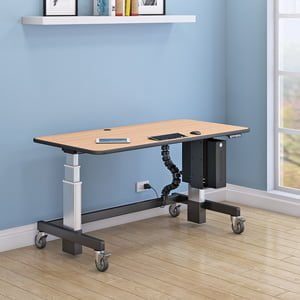
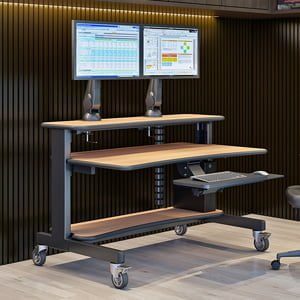
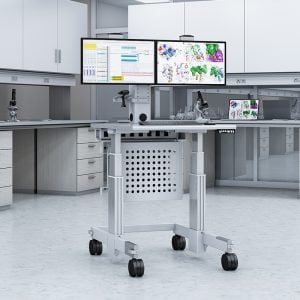
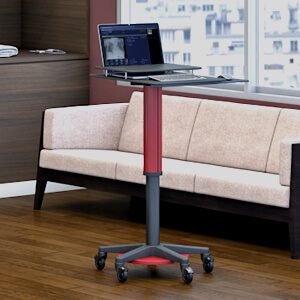
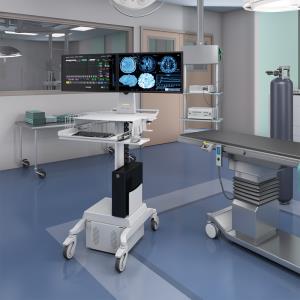
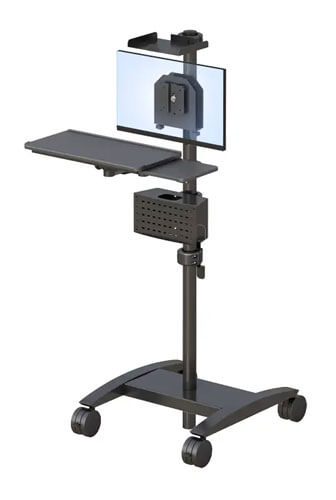
That helps explain why computer tables with wheels are attracting attention in flexible workplaces. Unlike a basic rolling desk, a properly configured mobile workstation can keep a monitor, computer, cables, supplies, and storage together.
That does not mean every office needs one. The best computer tables with wheels are the ones that fit the equipment, users, room, and actual movement pattern. Before requesting a quote, it helps to know which features matter and which specifications still need to be confirmed.
What Should You Look for in a Computer Table With Wheels?
Wheels are only one part of a useful mobile computer table. Buyers should also assess stability, dimensions, storage, equipment compatibility, ergonomic positioning, and cable access.
Here are seven areas to inspect before making a decision.
1. Do the casters suit the floor and movement pattern?
Casters are the wheel assemblies attached to the table. Their size and material can affect how easily the workstation moves across carpet, tile, thresholds, and other surfaces.
Consider how often the table will move. A workstation that is relocated once a month has different requirements from one that travels between rooms every day.
It is also important to confirm whether any casters lock. A table should remain stationary during typing and equipment use. Do not assume that every wheeled workstation includes locking casters simply because the product photographs show wheels.
2. Does the table remain stable during normal work?
Mobility should not come at the expense of stability. Monitor movement, keyboard use, opened cabinets, and uneven weight distribution can all affect how a workstation feels.
Ask the manufacturer about the table’s weight capacity and how that capacity is distributed. A total capacity figure may not explain how much weight the top shelf, monitor arm, work surface, or cabinets can hold individually.
A heavier frame may feel more stable, but it may also be harder to move. The right balance depends on how the table will be used.
3. Will the table fit both the room and the route into it?
Measure more than the final workstation location. Check doors, corridors, elevators, corners, thresholds, and turning areas along the entire delivery and movement route.
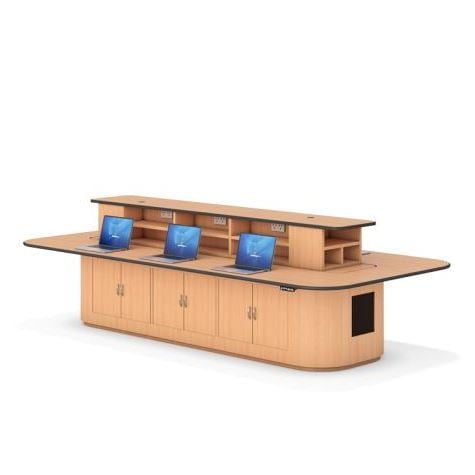
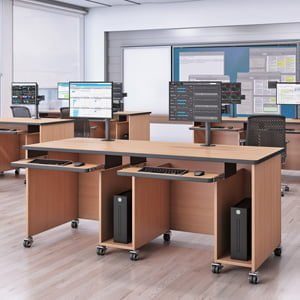
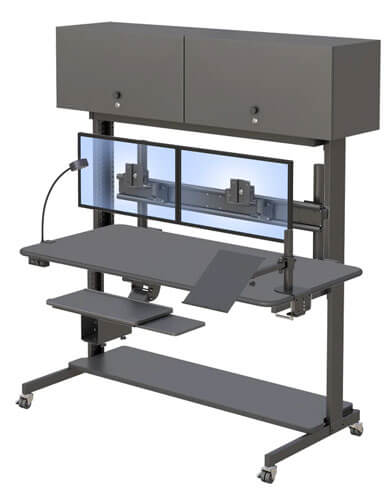
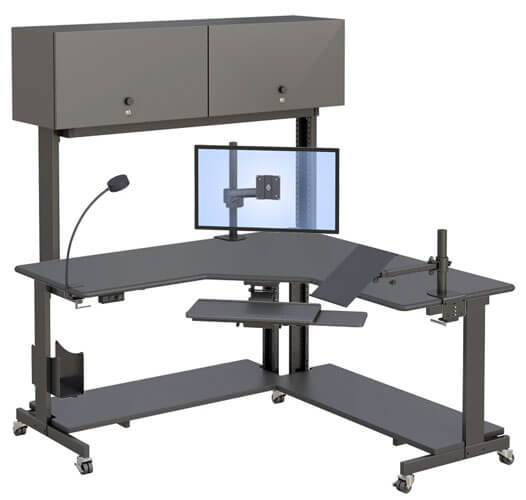
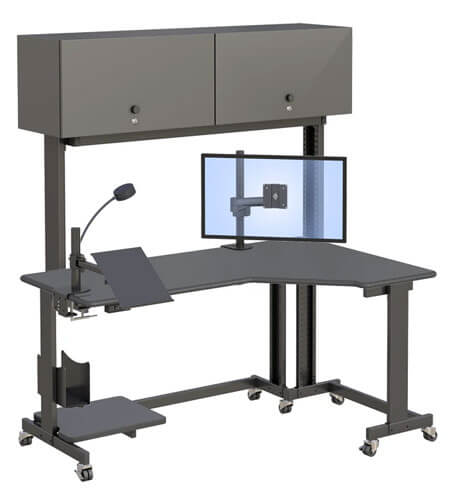
The AFC Computer Table with Cabinets is listed as 60 inches wide, 30 inches deep, and 54 inches high. Before ordering, confirm what the height measurement includes. It may not represent the height of the main work surface.
Remember to allow space for the user, chair, open cabinet doors, cables, and monitor movement. A table that fits between two walls may still be uncomfortable to use.
4. Is the storage suited to the items you actually use?
Cabinets can keep supplies and equipment close to the computer, but their usefulness depends on their interior dimensions and layout.
Create a list of everything that needs to be stored. That list might include cables, scanners, manuals, tools, labels, small peripherals, or office supplies. Measure any large items instead of relying on photographs.
If security matters, ask whether the cabinets lock and how the locking mechanism works. The AFC page confirms that cabinets are included, but it does not currently publish their interior measurements or locking details.
5. Will the monitor, CPU, keyboard, and mouse fit properly?
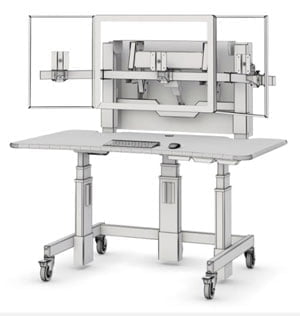
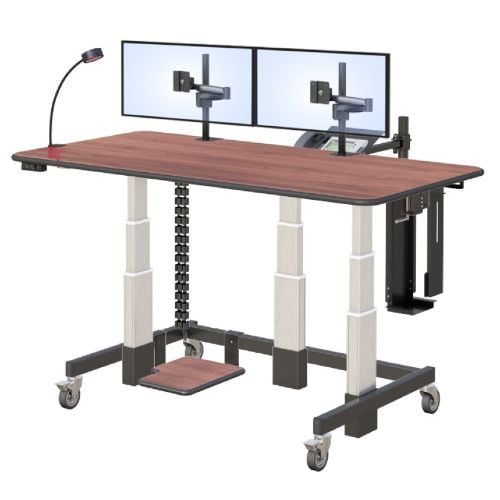
AFC identifies a clamp-mounted Z-arm, model AFCZ588-02, and a CPU enclosure as features of its cabinet-equipped table. Buyers should still confirm monitor weight limits, supported screen sizes, mounting compatibility, and the CPU enclosure’s adjustment range.
Monitor compatibility is often described using VESA measurements. In plain language, VESA refers to the spacing of the mounting holes on the back of a monitor. The monitor and arm need compatible patterns.
The desk should also provide enough depth for a comfortable viewing distance. OSHA’s workstation purchasing guidance recommends enough surface depth to place a monitor at least 20 inches from the user’s eyes.
Keyboard and mouse placement matters too. Both should be easy to reach without forcing the user to lift the shoulders or extend an arm repeatedly.
6. Can the workstation be adjusted for its users?
AFC describes the featured table as manually height adjustable. However, the published product page does not provide the adjustment range or the height of the primary work surface.
Those measurements should be confirmed before anyone treats the workstation as ergonomically suitable. A table that adjusts may still fall outside the comfortable range for a particular person.
There is no single workstation position that fits everyone. OSHA’s computer workstation guidance recommends arranging the desk, monitor, keyboard, mouse, and chair together rather than evaluating each item in isolation.
If several people will share the table, ask how the manual adjustment works and how long reconfiguration normally takes.
7. Are power and cables managed safely?
A rolling computer table needs a clear cable plan. Loose power and data cables can catch on nearby objects or restrict movement.
Ask where cables enter and exit the workstation, whether the table includes a power strip, and how much slack is needed when the monitor arm moves. If the table will travel between locations, determine where it will be plugged in and who will check the connections after every move.
The AFC product page discusses access to power and data, but buyers should verify which power components are included in the quoted configuration.
Is a Full-Size Mobile Computer Table Right for Your Workflow?
A full-size mobile table is not automatically better than a compact computer cart. Each format solves a different type of problem.
A computer table with cabinets may be appropriate when a desktop system, monitor, CPU, peripherals, supplies, and documents need to remain together. The larger surface and storage can support a more complete workstation.
A smaller cart may make more sense when the user carries a laptop, moves frequently, or travels through narrow areas. AFC offers a broader selection of mobile computer carts for buyers who do not need a 60-inch table.
Use these questions to guide the choice:
- Will the workstation move daily, weekly, or only during room changes?
- Does it need to hold a desktop computer or just a laptop?
- Which supplies must travel with the user?
- How much clear floor space is available?
- Will one person use the workstation or will it be shared?
- Does the movement route include carpet, thresholds, ramps, or elevators?
- Is enclosed or lockable storage required?
- Who will manage the power and data connections?
If the workstation mainly stays in one location, a stationary desk may be simpler and less expensive. Wheels provide value only when mobility solves a real operational need.
Where Can a Computer Table With Cabinets Be Useful?
The value of a mobile workstation becomes easier to understand when it is connected to a specific task.
IT setup and equipment staging
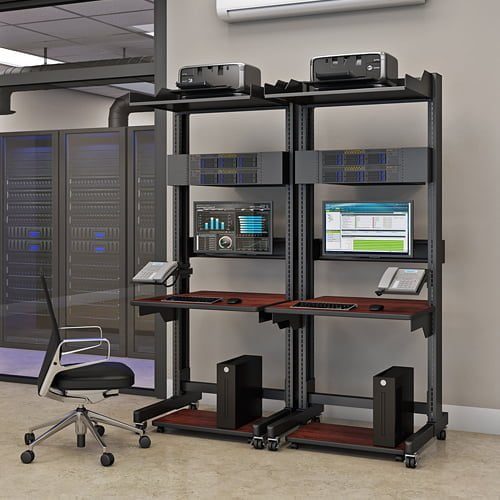
An IT team may need a stable surface for configuring computers, testing monitors, or preparing equipment for deployment. Cabinets can keep adapters, tools, and replacement cables nearby, while wheels make it easier to move the setup when the room is needed for another purpose.
The team should verify equipment weight, electrical access, ventilation, and storage dimensions before choosing a table.
Shared offices and project rooms
A shared room may serve several groups during the week. A rolling computer table can allow one configured workstation to be repositioned without dismantling the entire setup.
For this scenario, the table’s turning space and caster performance matter as much as its storage. The buyer should also consider where the table will remain when it is not being used.
Training and demonstration spaces
A mobile table can support a computer, monitor, and presentation supplies in a room that changes configuration. It may be moved to the front for a demonstration or returned to the side when participants need more floor space.
A compact presentation cart may still be the better choice if cabinets and a large work surface are unnecessary.
Administrative technology stations
Some administrative areas need a dedicated computer station with room for peripherals, files, and supplies. A cabinet-equipped table may help keep those items together while allowing occasional relocation during maintenance or room changes.
Healthcare organizations should separately confirm cleaning, safety, access, and facility requirements. Wheels and cabinets alone do not make a product suitable for a clinical or cleanroom environment.
How Should You Evaluate a Computer Table Before Requesting a Quote?
A short evaluation process can prevent compatibility and installation problems.
Step 1: Define the daily task
Write down what the user will do at the workstation. Include the frequency of use, number of users, and whether the table will support computer work, testing, training, documentation, or another task.
Step 2: Measure the room and movement route
Record the final workspace dimensions, doorway widths, elevator clearances, corners, thresholds, and available turning space. Include room for the chair, user, cables, and opened cabinets.
Step 3: List the equipment and stored items
Measure the monitor, CPU, keyboard, mouse, peripherals, and any large supplies. Record their weights when possible. This gives the manufacturer enough information to check mounts, enclosures, surfaces, and capacities.
Step 4: Evaluate reach and working position
Consider where the monitor, keyboard, mouse, and frequently used supplies will sit. The user should not have to stretch repeatedly or work with the wrists and shoulders in awkward positions. OSHA’s workstation evaluation checklist provides a helpful starting point.
Step 5: Confirm the product specifications
Before ordering, ask AFC to confirm the height range, cabinet dimensions, caster locks, load capacities, monitor compatibility, CPU enclosure range, power options, finishes, assembly requirements, delivery process, and warranty.
AFC offers workspace planning and product assistance for buyers who need help matching a configuration to their equipment and room.
Frequently Asked Questions
What should I look for in the best computer tables with wheels?
Look for appropriate dimensions, stable construction, suitable casters, equipment compatibility, accessible storage, cable management, and a comfortable working position. The best choice depends on where the table will move, what it must carry, and who will use it.
Are computer tables with wheels stable enough for daily typing?
They can be, but stability depends on the frame, caster design, locking mechanism, floor, and weight distribution. Confirm that the chosen table can remain stationary during use and support the planned equipment.
Should caster wheels lock on a computer table?
Locking casters can help keep a mobile table stationary during typing and equipment use. Ask which casters lock, how the brakes operate, and whether the caster material suits the facility’s flooring.
Is a computer table with cabinets better than a compact cart?
A table with cabinets may be better for a complete desktop setup and stored supplies. A compact cart may be preferable for a laptop, narrow routes, or frequent movement. Neither format is best for every situation.
How much space does a rolling computer table need?
The required space includes the table’s footprint, the user and chair, open cabinets, monitor movement, cable clearance, and enough room to turn or relocate the table. Measure the complete route as well as the final location.
Can the AFC Computer Table with Cabinets be manually adjusted?
Yes. AFC describes the table as manually height adjustable. Buyers should contact AFC to confirm the adjustment range, operating method, and exact work-surface heights for the intended configuration.
What should I confirm before ordering the AFC table?
Confirm the caster and brake specifications, load capacities, cabinet dimensions, height range, monitor compatibility, CPU enclosure range, power options, finishes, assembly requirements, delivery details, and warranty terms.
Choosing a Mobile Table With Confidence
The best computer table with wheels is not simply the model with the most features. It is the one that fits the room, equipment, user, and frequency of movement without creating new problems.
Start with measurements and a clear equipment list. Then verify every important specification directly with the manufacturer. If a full-size workstation with storage suits the project, explore the AFC Computer Table with Cabinets or contact AFC for configuration assistance.