



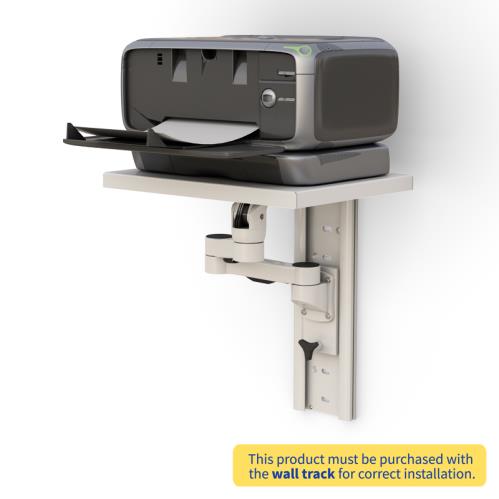
In the AI Office, Why Is the Printer Shelf Still Earning Wall Space?
Offices may be moving toward cloud software and AI-assisted workflows, but printers have not vanished. Shipping labels, consent forms, invoices, reports, and signed documents still move through many workplaces. Quocirca’s 2026 print-industry outlook also points to continued modernization of print technology as hybrid work changes how people use the office.
The printer itself presents a familiar space problem. It takes up a large part of a desk, yet placing it across the room can interrupt a task every time someone needs a document.
A printer shelf can provide another option. A wall-mounted model may keep the printer accessible without using floor or desk space. That does not make wall mounting suitable for every printer, wall, or workflow.
The right decision begins with the printer’s measurements, weight, paper path, ventilation, cables, and maintenance needs.
What Should You Measure Before Choosing a Printer Shelf?
Printer width is only one part of the fit calculation. A printer that appears to fit a shelf may need much more room once its paper trays, scanner lid, output area, and rear connections are in use.
Complete the following checks before comparing shelves.
1. Measure the base of the printer
Measure the width and depth of the surface that rests on the shelf. The printer’s feet and supporting base should sit on a stable platform according to the manufacturer’s instructions.
The AFC Wall Mount Track Printer Shelf has a listed metal tray measuring 16 inches wide and 12 inches deep. Do not assume a printer will fit simply because its main body is narrower than 16 inches.
Check the printer manual for its exact footprint. In this context, footprint means the area covered by the base of the machine.
2. Measure the printer while it is operating
Printers often become larger during normal use. An output tray may extend from the front. A rear paper guide may add several inches of depth. A scanner lid may require open space above the machine.
Measure the printer with all frequently used trays and covers in their working positions. This gives you the operating dimensions rather than just the stored dimensions.
3. Find the printer’s complete working weight
Use the weight provided by the printer manufacturer. Include installed paper, toner, ink, and attached accessories when possible.
AFC does not currently publish the load capacity of the shelf, arm, vertical slider, or wall track on the target page. Ask AFC to confirm the supported load for the exact configuration before placing equipment on it.
Also ask whether the capacity changes when the arm is extended. Holding an object close to your body feels different from holding it at arm’s length. An extending shelf can create similar leverage on its track and wall attachment.
4. Leave room for paper and maintenance
The user needs enough space to refill paper, clear a jam, replace ink or toner, open the scanner, and reach the power controls.
Consider who will perform those tasks. A shelf that places the printer out of the way may also place a cartridge door or paper tray beyond comfortable reach.
Do not mount the printer so tightly between walls or cabinets that ordinary maintenance requires removing it from the shelf.
5. Check the ventilation openings
Printers may have ventilation openings on the rear, sides, or top. These should not be blocked by a wall, shelf edge, cable bundle, or nearby equipment.
Epson’s general printer safety instructions recommend placing a printer on a flat, stable surface and leaving enough room for ventilation, paper output, and open covers. Always follow the instructions for the actual printer model being installed.
6. Plan the power and data cables
A swiveling shelf changes the distance between the printer and its power or data connection. Cables need enough length to support the full movement without pulling on the ports.
Trace each cable from the printer to its destination. Look for tight bends, pinch points, loose loops, and plugs that could strike the wall when the arm turns.
The power outlet should remain accessible. Avoid relying on a cable arrangement that must be unplugged every time the shelf moves.
7. Account for movement and vibration
Printers contain moving components. Some models shake or shift more than others while feeding paper or moving a print head.
Ask AFC whether the intended printer requires a restraint, raised edge, strap, or another retention method. Confirm that the shelf is intended for the printer’s operating movement, not just its stationary weight.
Is a Wall Printer Shelf Better Than a Printer Stand?
A wall printer shelf can be useful when floor and desk space are limited, but it is not automatically better than a printer stand.
A fixed shelf may suit a small printer that stays in one position. An adjustable wall shelf may be more helpful when the printer needs to change height or direction. A freestanding stand can provide storage and may be easier to relocate. A cart is often the better choice when equipment moves between rooms.
Choose based on the task:
- Consider a wall shelf when preserving desk and floor space is the main goal.
- Consider a printer stand when paper and supplies need nearby storage.
- Consider a cart when the printer moves between work areas.
- Consider a cabinet when supplies need enclosed storage.
- Keep the printer on a desk when that remains the safest and most convenient option.
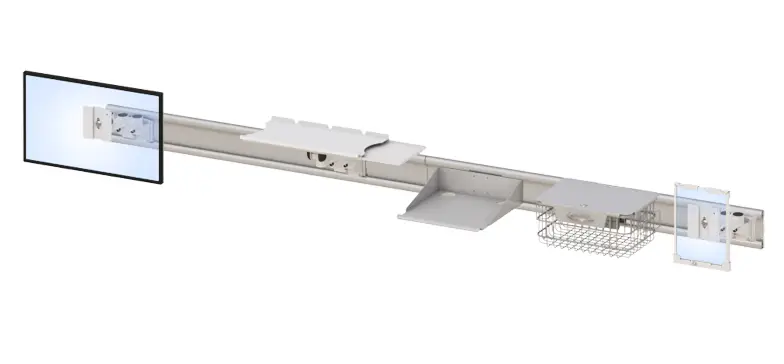
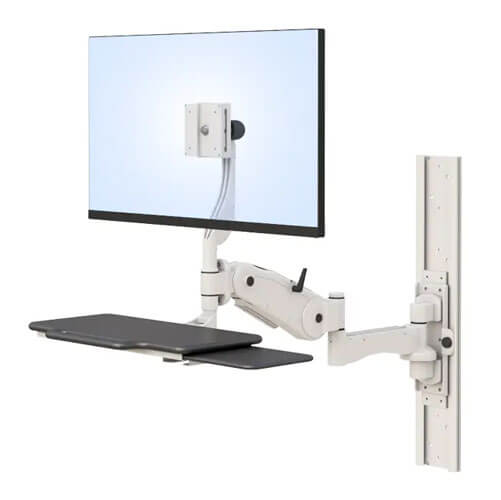
The AFC model is attached to a vertical wall track, so it should not be described as mobile. Its AFCZ566 arm can swivel, extend, fold, and change direction, but the system remains connected to the wall.
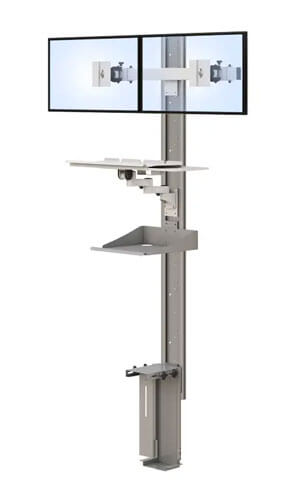
Buyers planning a larger computer setup can also compare AFC’s wall-mounted workstations.
Where Can an Adjustable Wall Printer Shelf Make Sense?
A wall-mounted printer shelf works best when it addresses a specific space or access problem.
Small administrative workstation
A compact administrative desk may already support a monitor, keyboard, phone, and documents. Moving a compatible printer to the wall can preserve the primary work surface while keeping printed material nearby.
Shipping or label station
A label printer may need to stay close to packaging materials and a computer. Wall placement could preserve counter space, but the operator still needs convenient access to labels, covers, controls, and cables.
Shared office support area
A small printer serving several nearby employees may not need a full cabinet or dedicated table. An adjustable shelf could make use of an available wall, provided that the installation does not obstruct a walkway.
Telehealth administrative room
A telehealth support area may have limited room for a computer, camera, display, documents, and printer. A wall shelf could keep selected equipment off the main work surface. Facilities should separately review cleaning, privacy, electrical, and installation requirements.
AFC offers additional telehealth workstation solutions for organizations planning a complete room.
How Should You Plan a Wall Printer Shelf Installation?
A short planning process can identify fit and installation problems before drilling begins.
Step 1: Record the printer specifications
Write down the printer manufacturer, model, base dimensions, operating dimensions, working weight, ventilation locations, and cable connections. Use the manufacturer’s manual rather than a retailer’s abbreviated listing.
Step 2: Measure operating and service clearance
Extend the paper trays and open the scanner lid, cartridge doors, and other frequently used panels. Measure the room required to print, scan, refill supplies, clear jams, and perform routine cleaning.
Step 3: Inspect the wall and location
Have the wall construction and structural support reviewed by a qualified installer or facilities professional. Check nearby outlets, cabinets, doors, walkways, furniture, and other equipment.
Step 4: Confirm the shelf, arm, and track specifications
Ask AFC to verify the supported load, extension range, swivel range, vertical travel, folded depth, required track, included components, installation hardware, and printer-retention requirements.
The target page states that the corresponding wall track is necessary, but it does not clearly say whether that track is included. Confirm it before ordering.
Step 5: Install and test the complete setup
Follow AFC’s installation requirements and the printer manufacturer’s placement instructions. Once installed, test the arm’s complete movement while watching the cables, printer position, clearances, and wall attachment.
Do not fold the shelf with a printer on it unless AFC expressly confirms that the product is designed for loaded folding.
For configuration help, contact AFC Industries with the printer model, measurements, working weight, wall information, and desired shelf position.
Frequently Asked Questions
What should I look for in a printer shelf?
Check the shelf dimensions, capacity, stability, wall requirements, cable clearance, and access to paper trays and covers. The shelf must also fit the printer’s complete base and comply with its placement instructions.
How big should a shelf be for a printer?
The shelf should support the printer’s base and provide the clearances required by its manufacturer. Measure the machine with trays and covers open rather than relying only on its stored dimensions.
Can a printer overhang a shelf?
Do not assume overhang is acceptable. Many printer manufacturers call for a stable surface that extends beyond the printer base. Follow the printer manual and confirm compatibility with the shelf manufacturer.
How much weight can a wall printer shelf support?
Capacity varies by shelf, arm, track, wall, and installation method. AFC should confirm the allowable load for SKU 772428 and explain whether the rating changes when the arm is extended.
Does a printer need ventilation around it?
Yes. Leave the ventilation openings unobstructed and follow the clearances in the printer manual. The machine may also need room for paper output, cables, open covers, and maintenance.
Is a wall printer shelf better than a printer stand?
A wall shelf may be better when preserving floor and desk space is the priority. A stand may be better when the printer moves, requires storage, or cannot be safely supported by the available wall.
Does the AFC printer shelf include the wall track?
The AFC page says the corresponding wall track is required but does not clearly state whether it is included. Ask AFC to identify every component included in the quoted configuration.
Can the AFC printer shelf fold while holding a printer?
The page describes the metal shelf as foldable but does not confirm that it can fold while loaded. Remove the equipment unless AFC provides instructions expressly permitting loaded folding.
Does a wall-mounted printer shelf need professional installation?
Professional installation may be appropriate because wall structure, printer weight, arm extension, and mounting hardware affect the setup. Follow AFC’s instructions and applicable facility requirements.
Start With the Printer, Not the Shelf
A printer shelf should be selected around the machine it will support. Measure the base, working weight, paper path, open covers, ventilation, and cables before deciding where the printer belongs.
If wall mounting solves a genuine space problem, review the AFC Wall Mount Track Printer Shelf and ask AFC to verify capacity, track requirements, movement, installation, and compatibility.