
How Height-Adjustable Workstations Improve PACS Imaging Reading — and the Mistakes That Undermine Them
PACS — Picture Archiving and Communication Systems — workstations are the central infrastructure of modern diagnostic radiology. They are where studies are retrieved, viewed, annotated, and reported. In a functioning radiology department, a PACS reader may work through 80 to 200 studies in a single session, navigating thousands of images across CT, MRI, X-ray, and ultrasound series with varying complexity.
That workflow places specific demands on the physical workstation that differ from general office work in ways that matter clinically. Most PACS reading rooms understand the display requirements — DICOM calibration, luminance standards, resolution — because those are specified in ACR guidance and have accreditation implications. Fewer departments have applied the same specificity to the ergonomic configuration of the workstation platform beneath those displays.
This article is for PACS administrators, radiology IT managers, and department heads who are evaluating or upgrading PACS reading room infrastructure. It covers why PACS reading specifically benefits from height-adjustable workstations, how monitor positioning interacts with the PACS workflow, what a correctly configured PACS workstation looks like, and — critically — the mistakes most commonly made in PACS workstation deployments that eliminate the ergonomic benefit entirely.
| Quick Answer —Height-adjustable workstations improve PACS imaging reading performance by interrupting the cumulative physical fatigue that accumulates during extended reading sessions at fixed-height stations. PACS reading requires multi-hour sustained visual attention across hundreds of studies — a task whose accuracy is documented to decline as physical fatigue compounds cognitive load in the later session hours. Position alternation via a height-adjustable PACS workstation reduces that fatigue accumulation rate, maintains cerebral blood flow, and sustains the quality of diagnostic attention available for the full session. The most common reason this benefit is not realised in practice is installation mistakes — specifically monitors on fixed arms, cable routing that prevents adjustment use, and absence of anti-fatigue matting — that turn a height-adjustable desk into a fixed one. |
Why Does PACS Reading Specifically Benefit from Height-Adjustable Workstations?
PACS reading has characteristics that amplify the ergonomic vulnerability that all long-session desk work shares, and that make the benefit of height-adjustable workstations more pronounced than in most office environments.
The first characteristic is session length. A PACS reader in a busy department may read for six to eight hours with short breaks between study blocks. The cumulative static loading that a fixed-height workstation generates over that duration is significantly higher than what a typical office worker accumulates. The intervertebral disc compression, the isometric muscle fatigue in the upper trapezius and cervical paraspinals, and the gradual reduction in cerebral blood flow variation that impairs executive function — all documented in the research covered in Blog 6 — have a full session’s worth of time to accumulate without interruption.
The second characteristic is visual task intensity. PACS reading is not passive screen time. It is active, systematic visual search across image stacks that can include 500 to 2,000 individual images in a complex CT study. This task loads the visual system, working memory, and pattern recognition systems simultaneously. Each of those cognitive functions is sensitive to the reduction in sustained attention capacity that physical fatigue drives. The consequence of degraded sustained attention in this context is not a slower response time on a productivity metric — it is a missed finding on a diagnostic image.
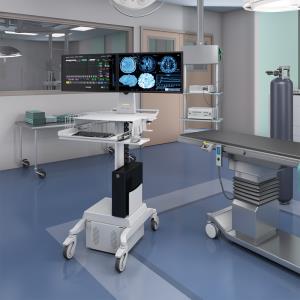
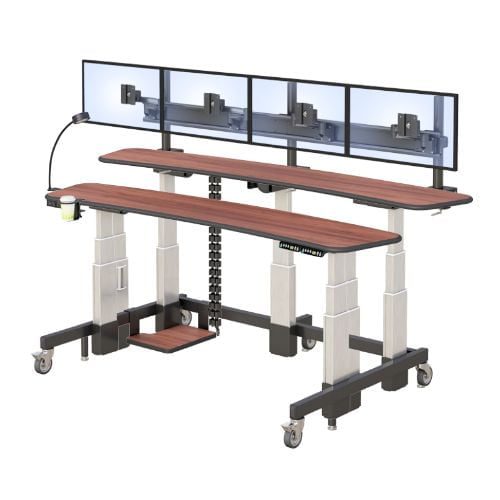
The third characteristic is multi-monitor complexity. A standard PACS reading station carries two to four diagnostic displays, each running different image series or workflow applications simultaneously. This multi-monitor configuration generates a higher physical load on the workstation platform than a standard office setup, requires more complex cable management, and creates specific ergonomic challenges around display positioning that a single-monitor configuration does not.
Each of these characteristics makes the ergonomic configuration of a PACS workstation more consequential than the same configuration in a standard office. And each is addressable through correct height-adjustable workstation specification and deployment.
How Does Monitor Positioning Specifically Affect PACS Image Interpretation?
In a PACS reading environment with two to four diagnostic displays, monitor positioning is not a single variable — it is a geometry problem. Each display needs to be at the correct height and distance for the reader’s eye level and working posture. When a height-adjustable desk raises or lowers, every display needs to maintain that geometry, not shift to a different one.
This is the specific reason that monitors on fixed arms or desk surfaces fail in a PACS context. At sitting height, a monitor arm fixed to the desk surface may position displays at an acceptable height for that reader at that desk position. When the desk rises to standing height, the monitor rises with it — but the reader’s eye level rises further, because they are now standing and the monitor is effectively lower relative to their eyes than it was when sitting. The result: neck flexion during every standing interval, which is precisely the posture generating the upper trapezius fatigue the adjustment was meant to relieve.
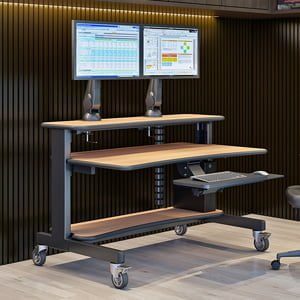
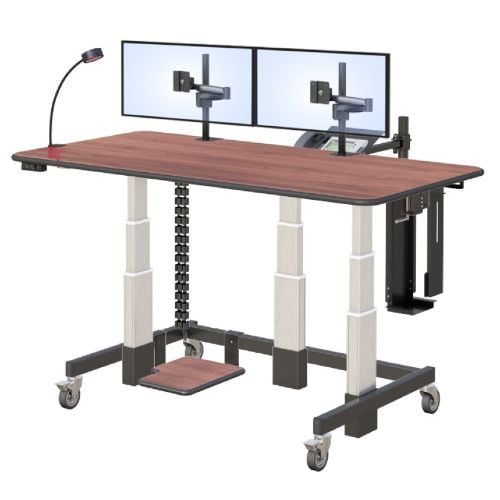
Independently adjustable monitor arms — arms that can be set at a height independent of the desk surface position — resolve this. Each arm is set once at the correct eye-level height for the reader’s standing position. At that height, the monitor is correct when standing. When the desk lowers to sitting height, the monitor arm’s independent height maintains the display at the correct position for sitting too, because the arm height doesn’t change with the desk height. This geometry only works with monitor arms that have sufficient vertical travel range to serve both positions — a specification that must be verified before purchase.
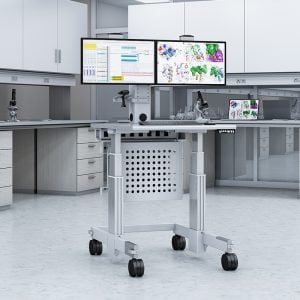
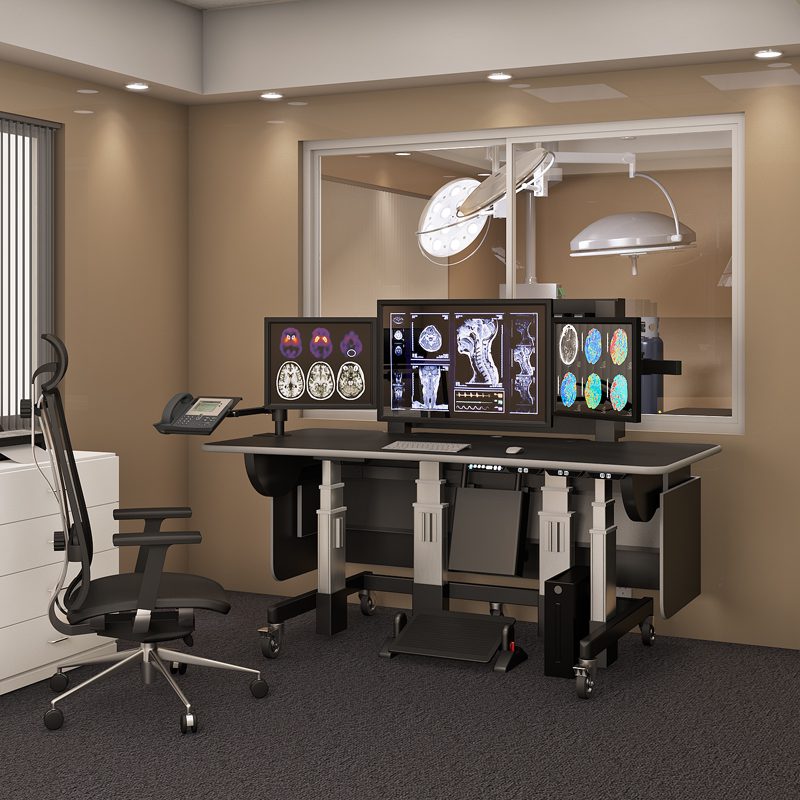
AFC Industries’ PACS reading room workstations are configured with monitor arms specifically rated for diagnostic display weight and with the vertical travel range required to maintain correct display geometry across the full seated-to-standing height range.
What Does a Correctly Configured PACS Height-Adjustable Workstation Look Like?
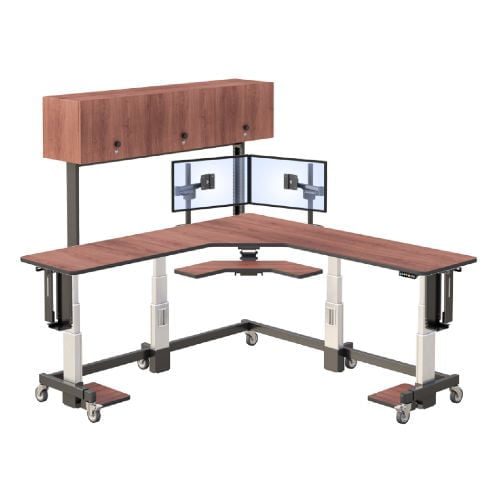
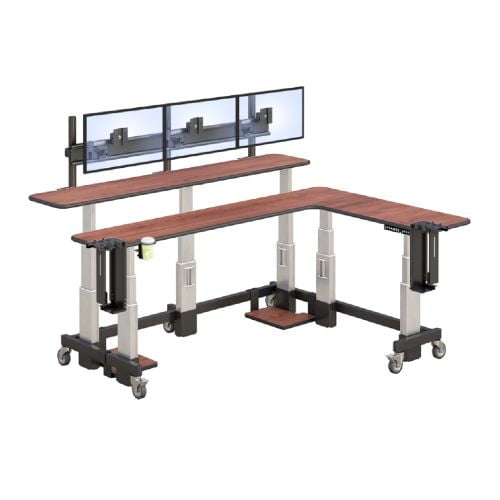
A correctly configured PACS workstation is a system, not a collection of components. The components interact: the desk height range determines whether the monitor arm geometry works; the cable management determines whether the height adjustment is actually used; the anti-fatigue matting determines whether standing is comfortable enough to become a habit. Any component that is wrong or missing affects the performance of the others.
| PACS Workstation Configuration Checklist
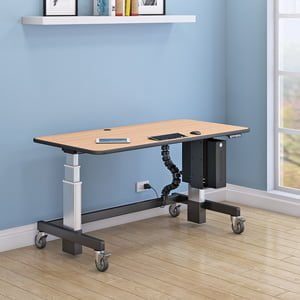
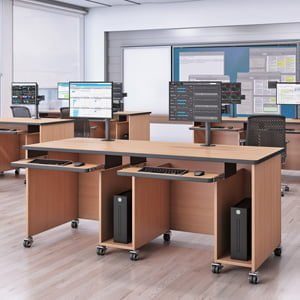
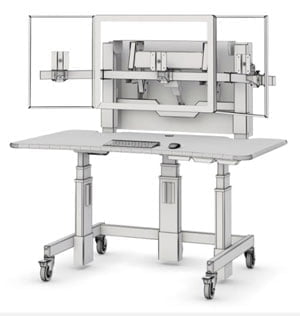
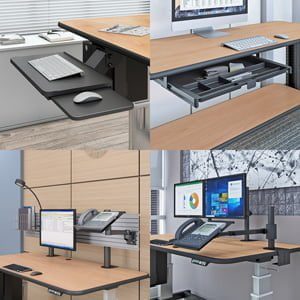
Workstation base: Height-adjustable, dual-motor frame, height range covering the department’s full reader population (verify both extremes, not just the average). Load capacity must accommodate all monitors, arms, and equipment simultaneously. Memory presets: one per regular reader in the department. Monitor arms: Independently adjustable height and tilt for each display, rated for the weight of your specific diagnostic monitors (not generic ‘up to 20kg’ ratings — check the specific display weight against the specific arm rating). Vertical travel range sufficient to position each display at the reader’s eye level in both seated and standing positions. Cable management: Internal routing channels integrated into the workstation frame. All monitor cables, power cables, and peripheral cables routed internally before the workstation goes live. No external cable loops on the desk surface. Test full height adjustment range with all cables installed and confirm no restriction or catching. Anti-fatigue matting: Positioned at each standing location. Contoured surface preferred over flat mat. Size adequate for the reader’s full standing footprint. This is the lowest-cost item in the system and the one most frequently omitted — its absence is the most reliable predictor of standing position non-use. Keyboard and input device positioning: Keyboard position must be correct at both sitting and standing heights. A keyboard arm with independent vertical adjustment addresses this cleanly. If the keyboard sits on the desk surface, verify wrist position is neutral at standing height — wrist extension during standing documentation is a common error in PACS workstation setup that introduces a new ergonomic problem while attempting to solve another. |
What Are the Most Common PACS Workstation Mistakes — and How Do You Avoid Them?
The gap between a correctly specified PACS workstation and one that fails to deliver its ergonomic benefit is almost always a deployment error, not a product failure. The mistakes below are the ones most frequently encountered in PACS reading room deployments. Each is preventable at the specification or installation stage.
| Common Mistake | What It Causes in Practice | The Correct Approach |
| Fixed-height desk for a multi-reader department | Each reader starts every session with an unconfigured workstation and either works at the wrong height or spends 5+ minutes adjusting what can’t actually be adjusted | Install height-adjustable workstations with memory presets; each reader saves their position in 30 seconds once, then uses it every session |
| Monitor on desk surface or fixed arm | Monitor height is tied to desk height; when desk is at standing height, monitor is too low; sustained neck flexion for the duration of every standing interval | Install independently adjustable monitor arms rated for diagnostic display weight; verify correct eye-level positioning at both sitting and standing presets |
| Single-motor frame under multi-monitor load | Frame vibrates or shows instability at standing height under 3–4 diagnostic monitor weights; readers register instability unconsciously and stop using the standing position | Specify dual-motor frame for any PACS workstation carrying more than one diagnostic display; verify rated load capacity against actual monitor weights |
| External cable routing | Cables catch on the height adjustment mechanism; readers stop using the adjustment rather than deal with cable disruption; height-adjustable desk becomes a fixed desk in practice | Install internal cable management channels; route all cables before deploying; test the full adjustment range with all cables installed before the workstation goes live |
| No anti-fatigue mat at standing position | Standing is uncomfortable within 10–15 minutes on a hard floor; readers stop using the standing position; the workstation’s primary benefit is unused | Add an anti-fatigue mat at each standing position; this is the lowest-cost intervention with the highest impact on whether standing positions are actually used |
| Standard keyboard tray not adjusted between sitting and standing | Keyboard height wrong for standing position; wrist extension during standing documentation creates a new ergonomic problem while solving the postural one | Use a keyboard tray with independent vertical adjustment, or position the keyboard on the desk surface and verify wrist position is neutral at both height presets |
The pattern across these mistakes is consistent: each one creates a barrier to using the height adjustment, which converts a height-adjustable desk into a fixed one. A PACS workstation whose height adjustment is never used delivers none of the ergonomic benefit and all of the cost. Pre-deployment testing of the full configuration — adjusting through the complete height range with all cables installed, all monitors mounted, and all peripherals connected — catches every one of these issues before a reader sits down.
What Should PACS Administrators Do with This?
The case for height-adjustable workstations in PACS reading rooms rests on documented physiology and measurable performance outcomes, not ergonomic preference. The mechanism — position alternation interrupting cumulative fatigue accumulation — is well-understood. The consequence of getting it wrong — progressive error rate increase across extended reading sessions — is clinically significant.
The practical implication for PACS administrators is a two-stage decision. First: is the current workstation configuration delivering the ergonomic benefit it should? Check whether readers are actually using height adjustment, whether monitors are at the correct eye level in both positions, and whether anti-fatigue mats are present. If any of those are missing, the workstation is functioning as a fixed-height station regardless of what it cost.
Second: if a reading room upgrade is being planned, specify for the mistakes table above rather than against it. The specification decisions that matter — dual-motor frame, independently adjustable monitor arms with adequate vertical travel, internal cable management, confirmed load capacity, reader-specific memory presets — are all knowable before purchase. The workstations that fail in PACS reading rooms almost always fail for reasons that were visible in the specification.
AFC Industries’ PACS reading room workstations are engineered specifically for the height range, monitor load, and cable management requirements of multi-display diagnostic reading environments. For departments evaluating a broader workstation range, the AFC Industries standing desk collection includes configurations suitable for PACS environments at different scale and budget points. Contact the AFC Industries team to discuss reader population measurements, monitor configuration, and department-specific PACS workstation requirements.