


Cisco Camera Mounting Bracket for Telehealth Carts
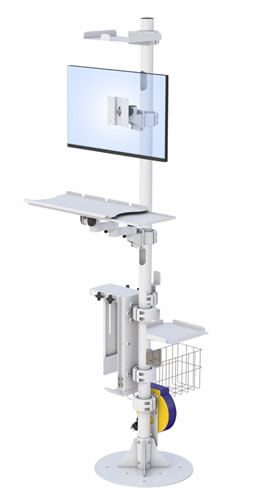
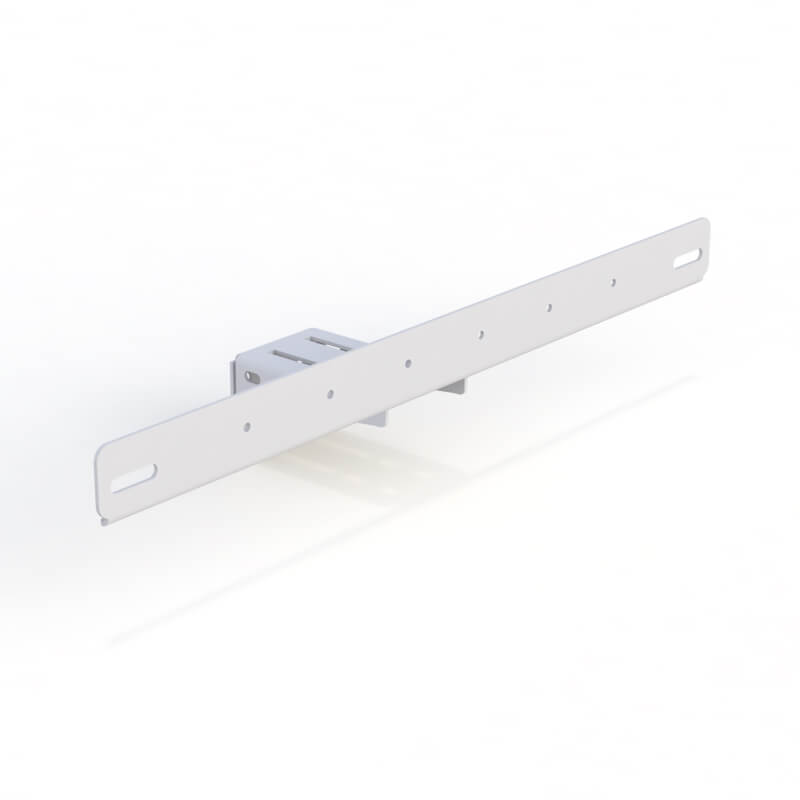
The Cisco camera mounting bracket for telehealth carts is a purpose-built mounting bracket designed to securely integrate Cisco cameras into a mobile cart used for clinical telemedicine workflows. Built for healthcare environments, this bracket supports stable camera positioning, consistent sightlines, and dependable installation across mobile telehealth fleets.
For hospitals, clinics, and enterprise healthcare systems deploying telemedicine carts at scale, this bracket helps standardize camera placement without the need for improvised mounts. It supports repeatable deployment, improves usability for staff and patients, and helps protect camera alignment while the mobile cart moves between rooms.
Enhance your telehealth services with our Cisco Camera Mounting Bracket, designed for seamless integration with the Cisco Room Bar TTC7-28 and similar cameras. Key features include:
- Compatible with Cisco Room Bar TTC7-28 and equivalent models
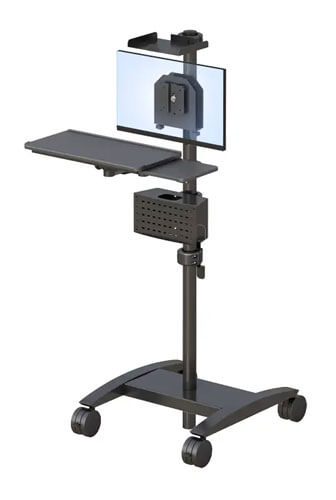
- Ideal for rolling telehealth monitor carts
- Sturdy and reliable construction
- Easy installation and adjustment
 AFC-CAM-CISCO-TTC7-01.pdf
Description
What Is a Cisco Camera Mounting Bracket for Telehealth Carts?
A Cisco camera mounting bracket for telehealth carts is a structural accessory used to attach and secure Cisco cameras to a telehealth cart. Instead of placing devices on a shelf or surface, the bracket provides a dedicated mount point engineered for predictable positioning and cart mobility.
In real-world telemedicine carts, the bracket helps maintain stable camera positioning during movement between patient rooms, exam areas, and clinical units. It supports efficient setup, smoother workflows, and a consistent user experience across departments.
Key Features & Functional Benefits
Secure Mounting Bracket
- The heavy-duty mounting bracket provides a secure camera mount for daily cart movement.
- Helps reduce shifting while the cart is moved across floors and between rooms
- Designed for long-term use in high-demand healthcare environments
Mobile Cart Integration
- Integrates cleanly into a mobile cart build without interfering with other components
- Helps support cable routing and organized hardware layouts
- Supports consistent equipment placement across cart fleets
Height Adjustable Camera Positioning (Configuration-Dependent)
- Height-adjustable positioning may be available, depending on cart configuration.
- Supports better line-of-sight and improved camera framing
- Helps optimize usability for clinicians, staff, and patients
Supports Telemedicine Carts with Video Systems
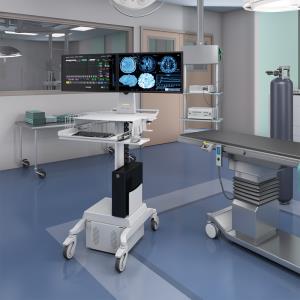
Many telemedicine carts include a camera and display system. Depending on workflow needs, cart builds may support:
- Video bar solutions for streamlined telehealth rooms
- Configurations that integrate Poly Studio, Logitech Rally Bar, or Neat Frame-style video devices
- Deployment layouts that coordinate camera placement with a monitor or display setup
(Device support depends on your cart configuration and the equipment you deploy.)
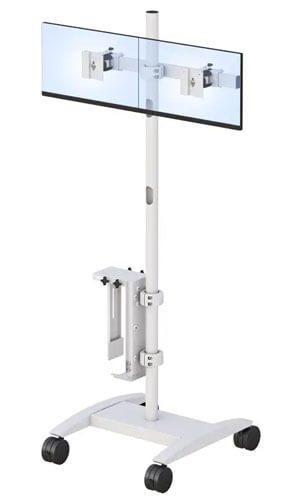
Display Setup Support (Single or Dual Displays)
This Cisco bracket supports camera mounting and may be specified in cart builds that support different display layouts, including:
- Single display configurations for standard workflows
- Dual display setups for expanded workflows and review screens
- Single or dual displays, depending on department needs
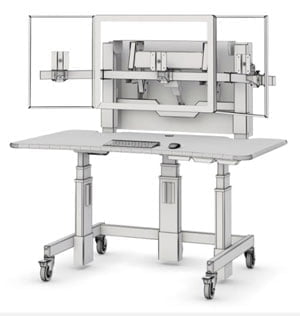
- Optional dual display mount configurations (cart build dependent)
- Optional universal display mount support for common integration needs
- VESA mount alignment for standard mounting patterns
- Display planning based on display sizes, screen position, and workflow requirements
Whether the cart supports a single display or dual displays, the bracket placement helps ensure the camera has correct framing and does not conflict with the display layout.
Wall Mount vs Mobile Cart Mounting (Compatibility Guidance)
Healthcare teams often compare wall-mount camera setups to mobile cart systems, depending on room design, workflow flexibility, and deployment goals.
Wall Mount Scenarios
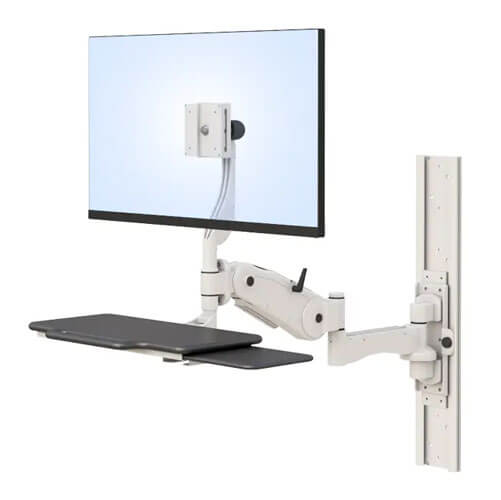
A wall-mount solution is typically used when equipment stays fixed in one room and needs a permanent layout. In those cases, the camera may be secured to a wall using a wall mount interface, and displays may also be aligned to the wall for fixed viewing zones.
Mobile Cart Scenarios
A mobile cart approach is preferred when teams need flexibility across rooms. Instead of locking devices to a wall, a mobile cart keeps the camera, display, and accessories together so clinicians can move the full system wherever care is delivered.
Because many healthcare environments use a mix of fixed rooms and mobile workflows, the Cisco camera mounting bracket supports cart-based deployments while aligning with common mounting expectations used in wall mount planning and integration discussions.
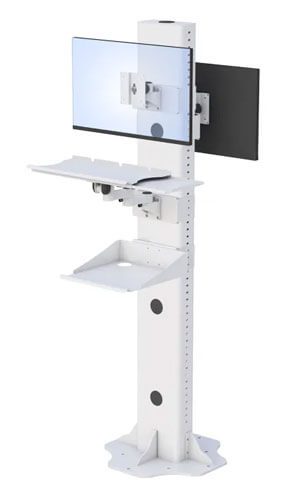
Rack, Shelf, and Enclosure Planning (Configuration-Dependent)
Some telehealth carts are built with integrated rack structures depending on the scope of equipment included. Configuration options may include:
- Rack space planning for integrated systems
- An adjustable rack shelf is needed for workflow builds
- Height-adjustable camera shelf layouts (cart-dependent)
- Enclosures such as a mobile rack cabinet (program dependent)
- Shelf and panel placement to support devices, a codec, or accessory needs
- Enclosure designs that may include a door for controlled access (if required)
These features depend on the cart solution design and are not required for all deployments.
Durability, Finish, and Cleaning Considerations
The bracket is engineered for durability in healthcare environments where equipment is handled daily. Finish options may include:
- Black powder coat finish for a clean, professional appearance.
- Black powder coat surfaces for long-term durability
- Materials selected to support routine wipe-down and maintenance
Many facilities follow standardized processes for cleaning environmental and noncritical equipment surfaces (see CDC environmental cleaning procedures).
Security and Locking Options (Build-Dependent)
In shared hospital environments, physical security may be a consideration—especially in high-traffic corridors, patient floors, and mobile workflows. Depending on the cart build, security options may include:
- Secure mounting alignment to help reduce equipment movement
- Optional locking features within an enclosure (if included)
- Build approaches that help reduce theft risk in mobile deployments.
Security features vary by configuration and facility standards.
AVTEQ / PTZ Reference (SERP Comparison Context)
Teams evaluating telemedicine carts often see configurations similar to AVTEQ systems in the market, including PTZ-focused setups such as an AVTEQ PTZ wall mount approach in fixed room designs.
For camera compatibility planning, cart deployments may also account for PTZ cameras and workflows where most PTZ cameras require stable positioning and consistent installation alignment. This bracket is designed to support Cisco cart-based deployments while aligning with common camera mounting expectations used in PTZ-style planning.
(Referenced here strictly for buyer comparison and integration context.)
Compliance Notes (TAA Compliant – Optional)
For government purchasing environments, TAA-compliant requirements may apply depending on program scope and procurement rules. TAA-compliant options may be available for certain configurations or projects where compliance is required. Final compliance alignment is confirmed during quoting and program review.
Specifications (What Buyers Need to Know)
Specifications vary by configuration and deployment requirements. Typical considerations include:
- Product type: Cisco camera mounting bracket for telehealth carts
- Mounting interface: Hardware bracket designed to attach to cart structures
- Compatibility: Cisco cameras (final compatibility verified by model)
- Height adjustable: Options may be available depending on cart design
- Finish: Black powder coat finish options may be available
- Installation: Designed for repeatable install processes and standardized layouts
- Display coordination: Supports builds that support single displays or dual displays
- Rack/shelf integration: Shelf and rack space options may be included as required
Final details are confirmed during configuration and quoting.
OEM Integration & Customization
AFC Industries supports OEM-level integration for healthcare organizations and system integrators deploying Cisco-based telehealth programs at scale. Customization options may include:
- Camera mount orientation and placement
- Coordination with display layouts (single display or dual displays)
- Integration planning with video bar devices, where required
- Alignment with rack, shelf, panel, or enclosure designs
- Standardized fleet builds supporting consistent installation across sites.
This approach supports scalable, repeatable deployments while meeting unique needs per department.
Typical Use Cases
- Hospitals deploying mobile telemedicine carts for inpatient consults
- Outpatient clinics offering virtual specialty access
- Enterprise healthcare systems are standardizing Cisco cart-based deployments.
- Training and demonstration environments using mobile cart setups
- Programs requiring consistent installation and secure camera positioning
FAQs
What does the Cisco camera mounting bracket for telehealth carts support?
It supports mounting Cisco cameras to a mobile cart using a secure mounting bracket interface. Compatibility depends on the camera model and cart configuration.
Does it support single displays or dual displays?
Yes. The bracket can be specified alongside cart builds that support single display setups or dual displays, depending on workflow requirements.
Is height-adjustable positioning available?
Height-adjustable options may be available based on the cart build and configuration.
Does it support video bar deployments?
It can be coordinated with telemedicine cart configurations that include video bar equipment such as Poly Studio, Logitech Rally Bar, or Neat Frame-style devices, depending on the system design.
Are TAA-compliant options available?
TAA-compliant options may be available depending on project requirements and procurement guidelines. Final confirmation is provided during quoting.
How do we request pricing or a quote?
Contact AFC Industries to share configuration needs and volume requirements. Pricing and lead time are provided through a formal quote.
Request a Quote
To request pricing, OEM integration support, or configuration guidance for a Cisco camera mounting bracket for telehealth carts, contact AFC Industries. Our team supports healthcare system deployment, standardized installation planning, and scalable manufacturing for mobile telemedicine cart programs.