
Are Wall-Mounted Computer Cabinets a Good Space-Saving Idea for High-Traffic Areas?
Table of Contents
- What Is a Wall-Mounted Computer Cabinet and How Does It Work?
- Where Are Wall-Mounted Computer Cabinets Most Valuable?
- What Additional Benefits Do Wall-Mounted Cabinets Provide Beyond Space Saving?
- What to Look for When Specifying a Wall-Mounted Computer Cabinet
- AFC Industries Wall-Mounted Computer Cabinet Solutions
| QUICK ANSWER — Yes. Wall-mounted computer cabinets are a highly effective space-saving solution for high-traffic areas. They eliminate floor and counter footprint entirely by housing the computer, peripherals, and cables inside a wall-mounted enclosure with a fold-out keyboard and display, leaving the floor and work surfaces clear. In addition to space saving, wall-mounted cabinets secure computing hardware behind a lockable door, conceal cables for a professional appearance, and in clinical environments, comply with HIPAA equipment security requirements. AFC Industries’ i-Centers wall-mounted computer cabinets are available in configurations suited to clinical, industrial, retail, and general office high-traffic environments. |
Floor space and counter space are among the most contested resources in high-traffic work environments. In a hospital corridor, every square metre of floor that isn’t a clear pathway is a mobility hazard. In a retail aisle, a counter terminal requires counter space that limits product display. In a manufacturing area, a floor-standing workstation sits in the path of material flow and accumulates contamination from the production environment. In each case, the computing access the space needs doesn’t go away — it just can’t compete for floor or counter space.
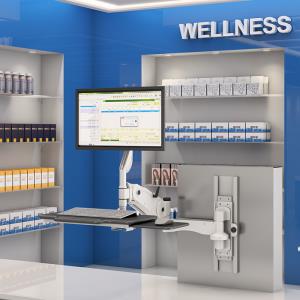
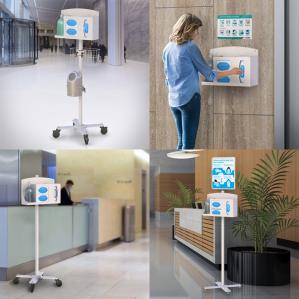
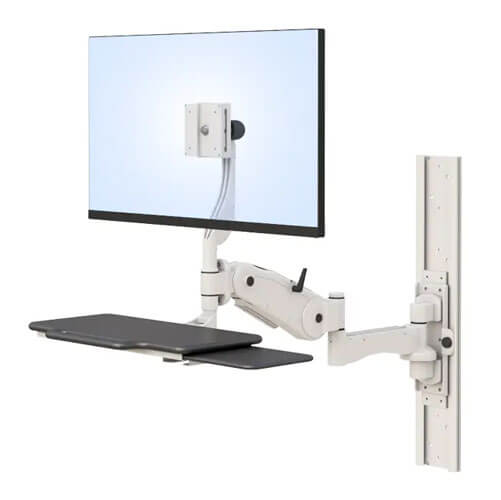
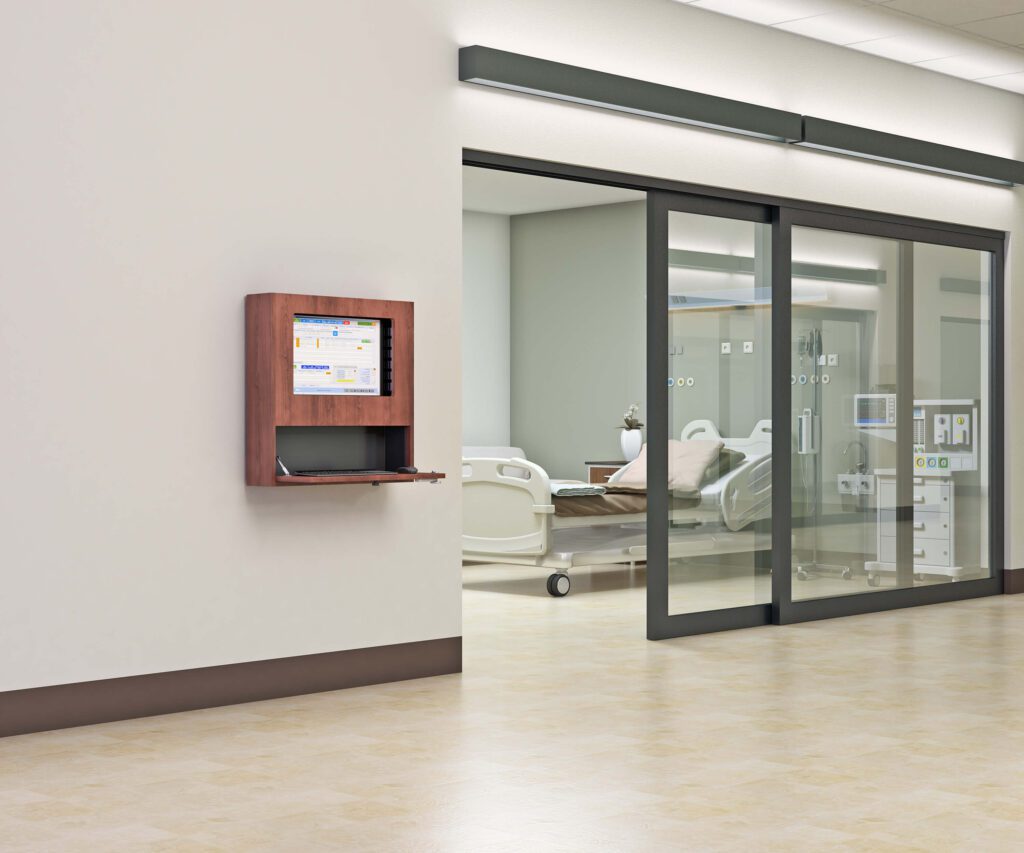
A wall-mounted computer cabinet solves this by moving the computing infrastructure to the wall. The computer hardware is housed inside a lockable wall-mounted enclosure. The keyboard folds out from the cabinet face for use and folds back in when not needed. The display is mounted on an arm that extends for use and retracts to the wall. The floor is clear. The counter is clear. The computing access is present. The whole setup occupies wall space that was previously bare, not floor or counter space that was previously in use.
This article answers the question directly: yes, wall-mounted computer cabinets are a good space-saving idea for high-traffic areas — and explains specifically which environments benefit most, what additional advantages they provide, and what to look for when specifying one.
What Is a Wall-Mounted Computer Cabinet and How Does It Work?
A wall-mounted computer cabinet — known in the AFC Industries range as an i-Center — is a wall-mounted enclosure that houses a complete computer workstation: CPU or mini-PC, keyboard, monitor arm, and peripheral storage, all mounted to the wall and enclosed within a lockable panel when not in active use.
The basic operational sequence: the user opens or unfolds the cabinet, the keyboard tray extends to the working position, the monitor arm swings out to the correct viewing position, and the user accesses the workstation normally. When the session ends, the keyboard retracts, the monitor arm folds back, the cabinet closes. The wall returns to a clean, uncluttered surface.
This design addresses four simultaneous problems that desktop workstations in high-traffic environments cannot. First, it eliminates the floor and counter footprint of the computing hardware. Second, it secures the hardware inside a lockable enclosure. Third, it conceals all cables within the cabinet structure. Fourth, it presents a professional, uncluttered appearance in public-facing environments when not in use.
AFC Industries’ i-Centers wall-mounted computer cabinets are available in configurations suited to clinical, office, industrial, retail, and institutional environments. For wall-mounted monitor arms without an enclosure cabinet, see AFC Industries’ wall mounted monitor arms.
Where Are Wall-Mounted Computer Cabinets Most Valuable?
The wall-mounted cabinet delivers its clearest advantage in environments where computing access is required but floor or counter space for traditional workstations is unavailable, undesirable, or operationally hazardous. The table below maps six common environments to the specific problem and the wall cabinet configuration that solves it.
| Environment | The Space Problem | Wall Cabinet Solution |
|---|---|---|
| Clinical corridors | Nursing station access without blocking corridor; computing at point of care without floor footprint | Wall cabinet with fold-down keyboard and adjustable monitor arm; access from standing position; folds flat when not in use |
| Emergency departments | High-traffic, space-constrained; equipment security important; clinical staff rotate rapidly | Lockable cabinet encloses computer hardware; monitor arm extends for use, retracts to wall; no cart to trip over in a busy bay |
| Retail and hospitality | POS and inventory access in aisle or service area; no counter space for a desktop | Compact wall cabinet with touch display or fold-down keyboard; all hardware secured inside the cabinet |
| Industrial / manufacturing | Workstation in production area; floor space unavailable; dust and contamination from desktop equipment a risk | Sealed cabinet protects hardware from particulates; NEMA-rated enclosure for harsher environments; display at standing use height |
| Reception and kiosks | Visitor check-in or digital signage in lobby or reception without counter space | Wall cabinet with display, keyboard, and printer integration; all hardware concealed; professional clean appearance |
| Schools and libraries | Computing access in corridors or between classrooms without dedicating a room | Compact wall-mounted cabinet with secure lock; accessible but secure; no cart hazard in corridor |
Clinical corridors are the most compelling use case in the AFC Industries range because the space constraint is absolute: a corridor must remain passable, and a cart or floor-standing workstation that is not in active use still occupies floor space that the corridor cannot spare. A wall-mounted i-Center in the closed position occupies zero floor space. In the open position, the keyboard and monitor extend into the corridor temporarily during use and retract fully when the session ends.
For environments where a mobile alternative is more appropriate — where the workstation needs to move with the clinician rather than being accessed at a fixed point — see the AFC Industries guide on why laptop mobile carts are so useful in office and clinical environments and the AFC Industries tablet cart range.
What Additional Benefits Do Wall-Mounted Cabinets Provide Beyond Space Saving?
Space saving is the most visible benefit, but wall-mounted computer cabinets provide three additional advantages that matter significantly in specific contexts:
| ADDITIONAL BENEFITS OF WALL-MOUNTED COMPUTER CABINETS
Hardware security. A wall cabinet with a lockable door secures the computing hardware against theft, tampering, and accidental damage. In clinical environments, this directly addresses HIPAA’s physical safeguard requirements for workstations accessing electronic protected health information (ePHI). The HIPAA Security Rule requires that access to workstations accessing ePHI be controlled and that workstations be positioned to minimise inadvertent access by unauthorised persons — a locked wall cabinet satisfies both requirements. In retail and public environments, a locked enclosure protects against theft of hardware that is otherwise accessible in an unmanned area. Professional appearance and clean environment. A wall cabinet in the closed position presents a clean, uncluttered wall surface. No trailing cables. No exposed hardware. No accumulation of desk clutter around the base of the workstation. In reception areas, clinical corridors, and retail environments where first impressions affect user confidence, the clean appearance of a closed wall cabinet is commercially valuable. Infection control in clinical environments. A wall cabinet whose surfaces are smooth, non-porous, and compatible with the facility’s disinfection protocol can be cleaned with the same agents used on other clinical surfaces. There are no cable tangles to clean around, no base unit crevices that trap contamination, no keyboard exposed to floor-level aerosols during storage. For infection prevention and control teams specifying workstation infrastructure in clinical areas, a correctly specified wall cabinet is a simpler infection control environment than an equivalent floor-standing workstation. |
What to Look for When Specifying a Wall-Mounted Computer Cabinet
Five specification decisions determine whether a wall-mounted cabinet performs correctly in practice:
- Wall structure and load capacity. The cabinet and its full hardware load must be supported by the wall. Specify the wall type (drywall on stud, solid masonry, steel stud partition) and confirm the mount’s rated load capacity exceeds the fully loaded cabinet weight. For drywall, anchor to studs or use rated toggle anchors across multiple fixings.
- Cabinet dimensions vs available wall space. Measure the available wall span, height from floor, and any obstructions (pipes, conduits, electrical boxes). The cabinet must close fully within the available wall area and open without obstruction from adjacent equipment, doors, or corridor traffic.
- Lock type and access control. For clinical and secure environments, specify the lock type: key, combination, RFID card, or badge reader. HIPAA-compliant environments should log access to workstations accessing ePHI; an RFID or badge-integrated lock supports this requirement.
- Surface material for your environment. For clinical environments: confirm surface compatibility with the facility’s disinfection agents. For industrial environments: verify NEMA enclosure rating appropriate to the environment’s dust, moisture, and chemical exposure levels.
- Monitor arm reach and keyboard tray ergonomics. The extended monitor arm must position the display at the correct eye level for the users accessing the cabinet. The keyboard tray must extend to the correct working height for both seated (if a chair is provided) and standing users. Both should be specified from the actual user height range rather than a generic average.
AFC Industries Wall-Mounted Computer Cabinet Solutions
AFC Industries’ i-Centers range covers wall-mounted computer cabinet configurations for clinical, office, industrial, and institutional environments:
- i-Centers Wall-Mounted Computer Cabinets — AFC Industries’ dedicated wall-mounted computer cabinet range. Available in configurations suited to clinical corridors, high-traffic office environments, industrial areas, and institutional settings. Lockable enclosure, fold-out keyboard tray, monitor arm, internal cable management.
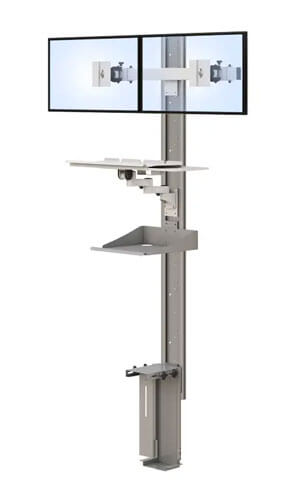
- Wall Mounted Workstation — For environments requiring a complete wall-mounted computing station with integrated monitor arm and keyboard tray as an open workstation rather than an enclosed cabinet.
- Wall Mounted Monitor Arms — For environments needing wall-mounted display positioning without a full cabinet enclosure.
- Computer Wall Mounts — For mounting the CPU or mini-PC unit to the wall independently of the monitor, freeing desk and counter surfaces.
Browse AFC Industries’ full wall-mounted solutions including monitor arms, workstations, and i-Centers cabinets. For mobile alternatives where wall mounting is not possible, see the AFC Industries computer carts range. Contact AFC Industries to discuss wall-mounted computer cabinet specification for your specific environment.